
Step-by-step walkthrough
Control AI operations in MongoDB with GateRook’s MCP Firewall
GateRook’s MCP Firewall gives an AI app controlled access to MongoDB. You configure the database credential once, expose the connection through an endpoint, and choose which tools can read immediately and which require a person to approve a change. Activity links each request to its policy decision and execution result.
This walkthrough uses GateRook 0.7.0 on macOS, MongoDB 7.0.34 in Docker Desktop, and Codex's existing showcase development endpoint. It creates a separate mongodb-demo connection and four fictional orders, then demonstrates a document query, an aggregation, and an update with approval.
1. Start an isolated MongoDB server
Keep Docker Desktop and GateRook running. This example assumes that showcase already exists and your AI app is connected to it. The container uses host port 17017, so another MongoDB instance on 27017 can continue running.
Create a private working directory and generate separate passwords for the administrator and tutorial user:
mkdir -p ~/gaterook-mongodb-demo
cd ~/gaterook-mongodb-demo
umask 077

python3 - <<'PY'
from pathlib import Path
import secrets

path = Path("mongo.env")
with path.open("x") as output:
    output.write(
        "MONGO_INITDB_ROOT_USERNAME=demo_admin\n"
        "MONGO_INITDB_ROOT_PASSWORD=" + secrets.token_hex(24) + "\n"
        "MONGO_INITDB_DATABASE=gaterook_demo\n"
        "DEMO_PASSWORD=" + secrets.token_hex(24) + "\n"
    )
path.chmod(0o600)
PY
Keep mongo.env outside version control. Create init.js alongside it:
const demo = db.getSiblingDB('gaterook_demo');
demo.orders.insertMany([
  { _id: 1001, customer_name: 'Avery Stone', status: 'pending', total_cents: 12990 },
  { _id: 1002, customer_name: 'Morgan Reed', status: 'paid', total_cents: 8900 },
  { _id: 1003, customer_name: 'Riley Chen', status: 'pending', total_cents: 24900 },
  { _id: 1004, customer_name: 'Jordan Lee', status: 'shipped', total_cents: 4950 }
]);
demo.createRole({
  role: 'orderUpdater',
  privileges: [{
    resource: { db: 'gaterook_demo', collection: 'orders' },
    actions: ['update']
  }],
  roles: []
});
demo.createUser({
  user: 'demo_agent',
  pwd: process.env.DEMO_PASSWORD,
  roles: [
    { role: 'read', db: 'gaterook_demo' },
    { role: 'orderUpdater', db: 'gaterook_demo' }
  ]
});
The tutorial account can read this database and update documents in orders. It has no insert, delete, or administrator privileges. The custom update privilege makes it possible to demonstrate approval without using the root account. Amounts are stored as integer cents to keep the arithmetic straightforward.
Start the container:
docker run -d \
  --name gaterook-mongodb-showcase \
  -p 127.0.0.1:17017:27017 \
  --env-file mongo.env \
  --mount "type=bind,source=$(pwd)/init.js,target=/docker-entrypoint-initdb.d/01-demo.js,readonly" \
  --health-cmd='mongosh --quiet --eval '\''const d = db.getSiblingDB("gaterook_demo"); d.auth("demo_agent", process.env.DEMO_PASSWORD); if (d.orders.countDocuments({}) !== 4) quit(1)'\''' \
  --health-interval=2s \
  --health-timeout=5s \
  --health-retries=30 \
  mongo:7.0.34-jammy

docker inspect --format '{{.State.Health.Status}}' \
  gaterook-mongodb-showcase
Wait for healthy. This check authenticates as demo_agent and verifies that the collection contains four documents. Choose another container name or host port if either is already in use.
The published port is bound to loopback. The official image creates the root account in admin; our script creates demo_agent in gaterook_demo. Initialization scripts run only for an empty data directory, so editing the script or environment file does not reinitialize an existing database. See the official MongoDB image documentation.
2. Choose the MongoDB connector
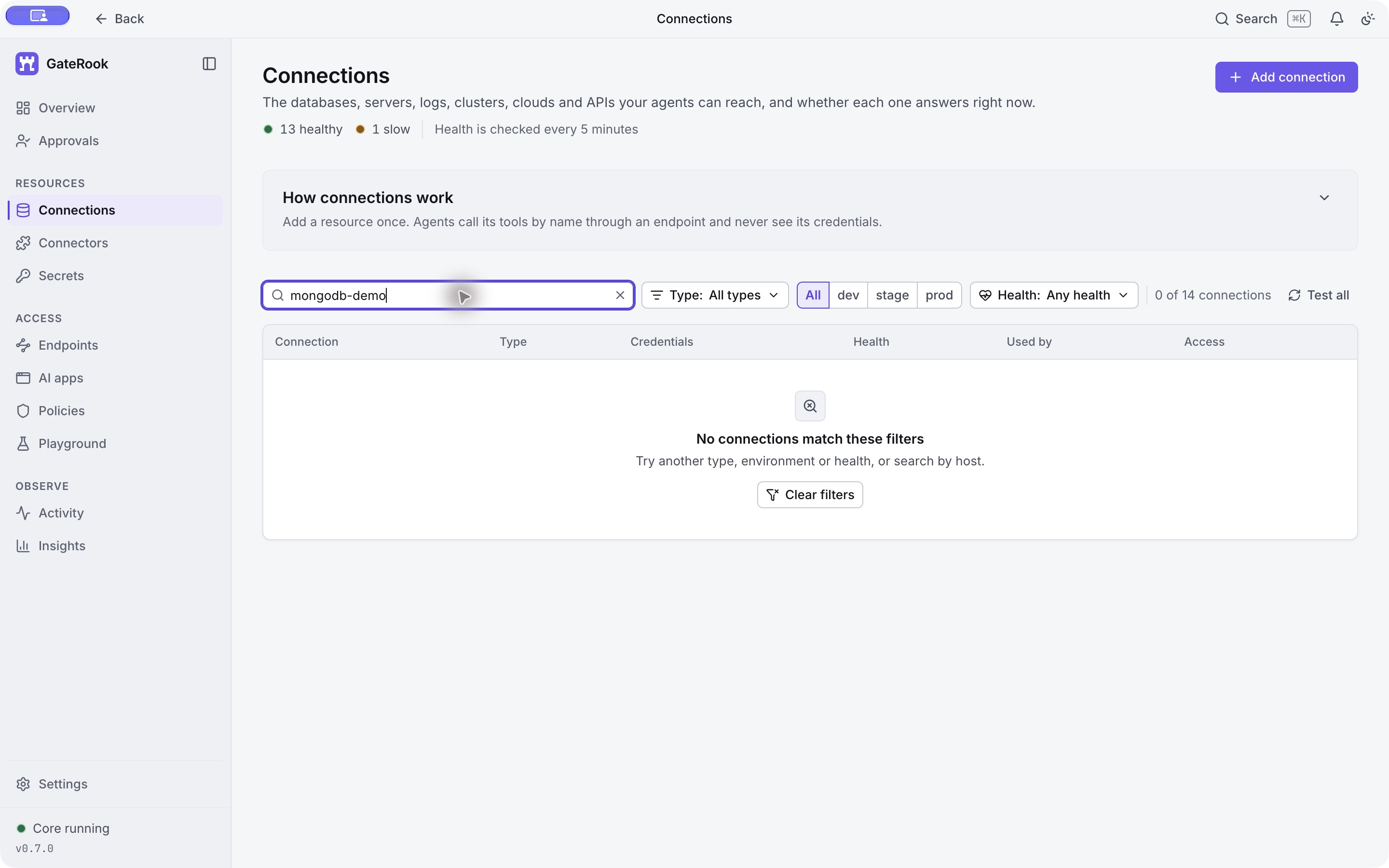
Open Connections. For these screenshots, the list is filtered to mongodb-demo to keep unrelated connections out of view. No match is expected before the connection exists.
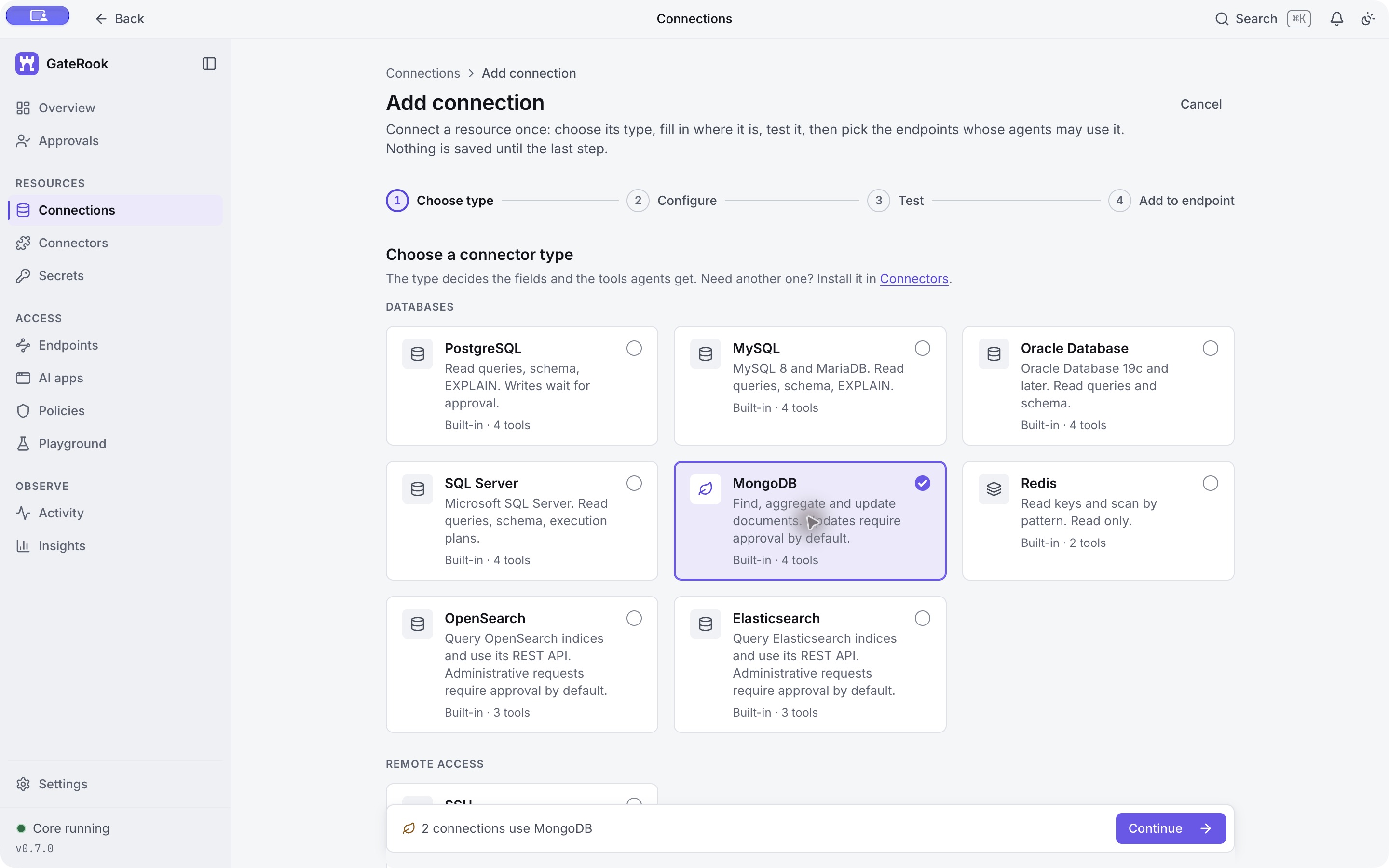
Select Add connection → MongoDB → Continue. The built-in connector provides four tools: two for reading documents and two for updating them.
3. Enter the server and credentials
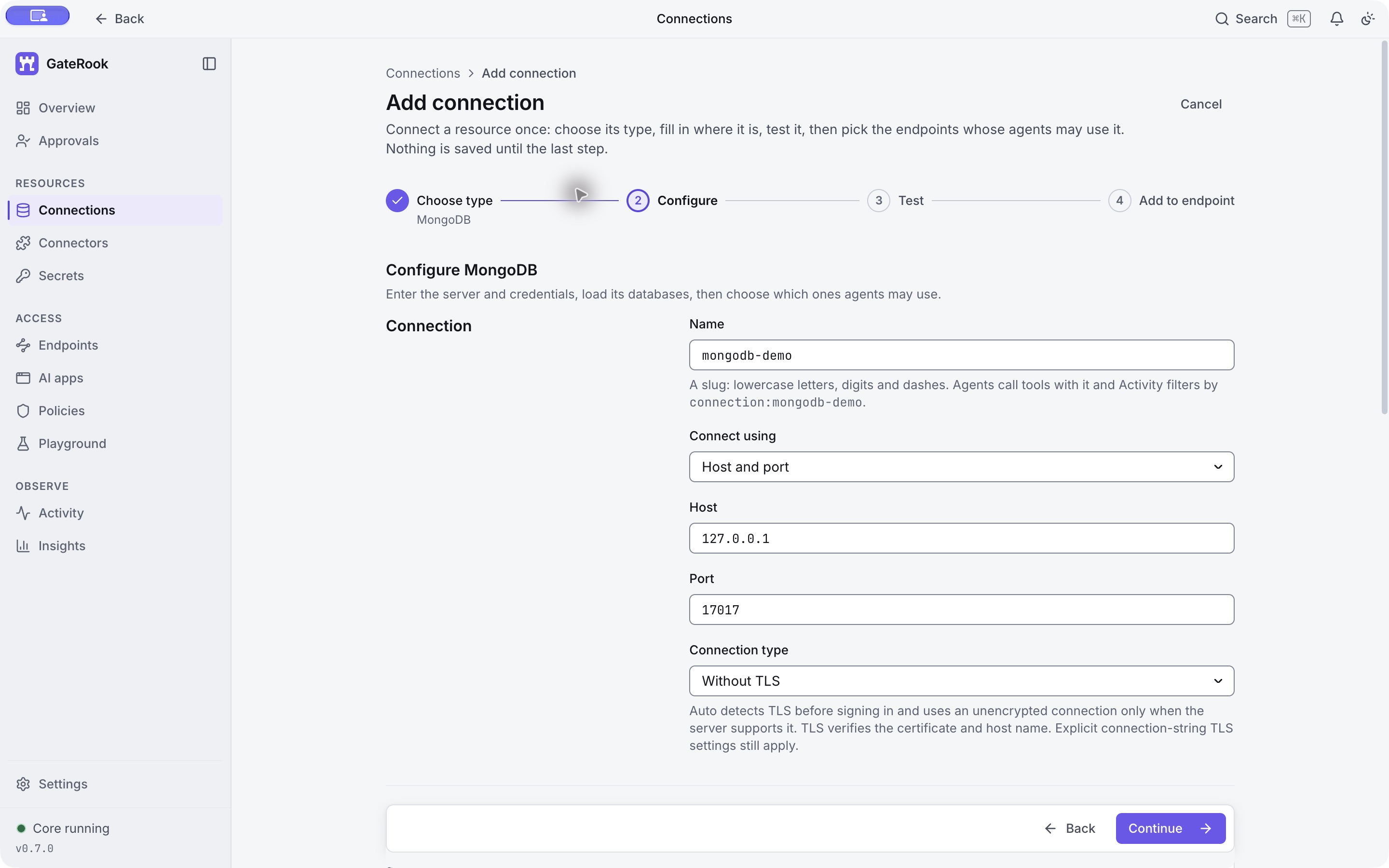
Use these connection settings:
| Field | Value |
|---|---|
| Name | mongodb-demo |
| Connect using | Host and port |
| Host | 127.0.0.1 |
| Port | 17017 |
| Connection type | Without TLS, for this disposable loopback-only server |
The name identifies the connection in tool calls, policies, and Activity. A saved connection cannot be renamed. GateRook connects from the computer running its core, so use the published host port, not the container's internal port.
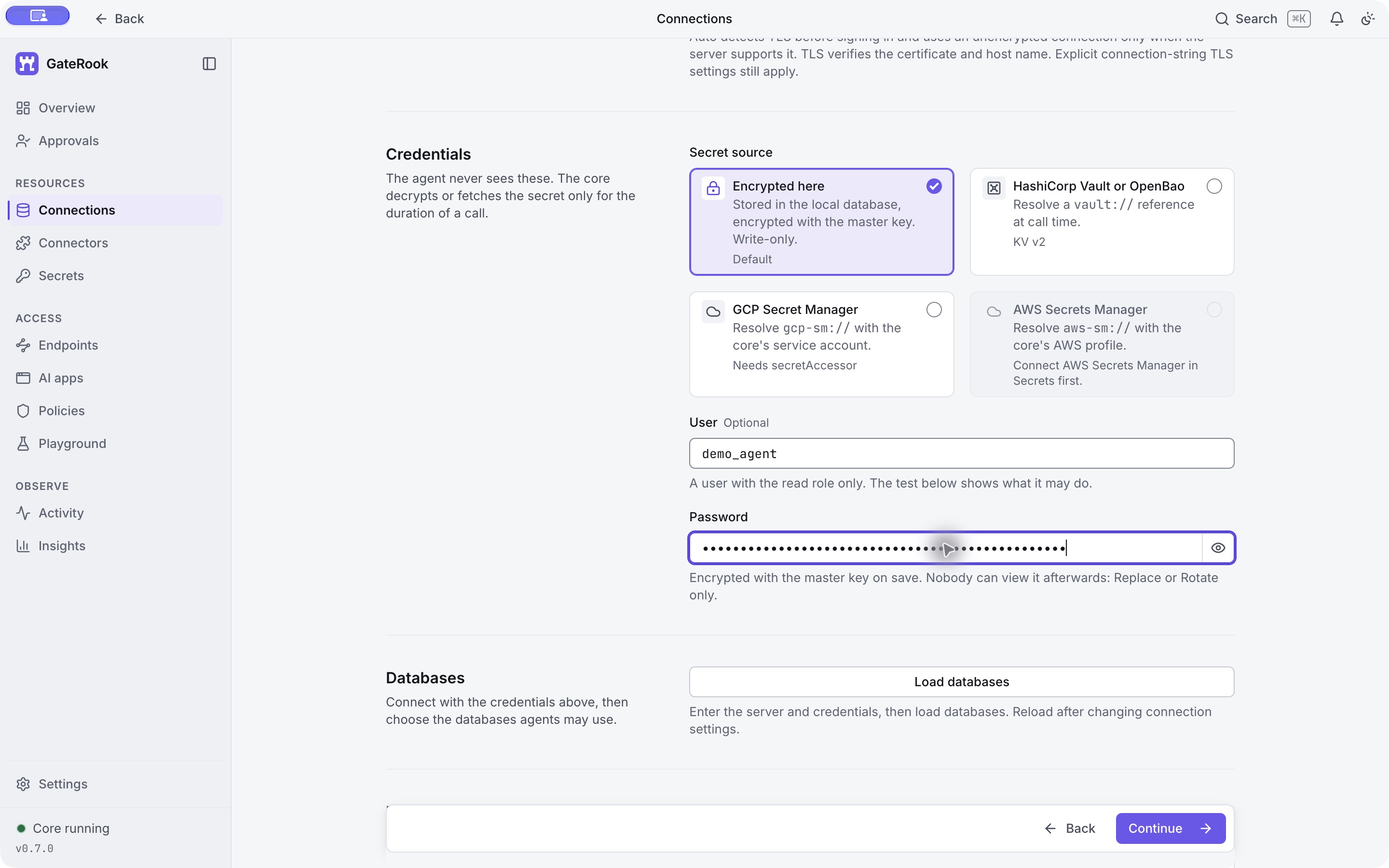
Under Credentials, keep Encrypted here, enter demo_agent, and paste only the DEMO_PASSWORD value from your private environment file. Do not use MONGO_INITDB_ROOT_PASSWORD or paste passwords into your AI conversation.
GateRook stores the password encrypted with its local master key. Later MCP calls identify the connection by name; the MongoDB password is supplied inside the connector and is not part of the AI's query arguments.
This local fixture does not configure TLS. For a remote server, choose TLS and use certificate and host-name verification; supply a CA certificate when the server uses a private CA. Do not carry the local fixture's unencrypted setting into a remote deployment.
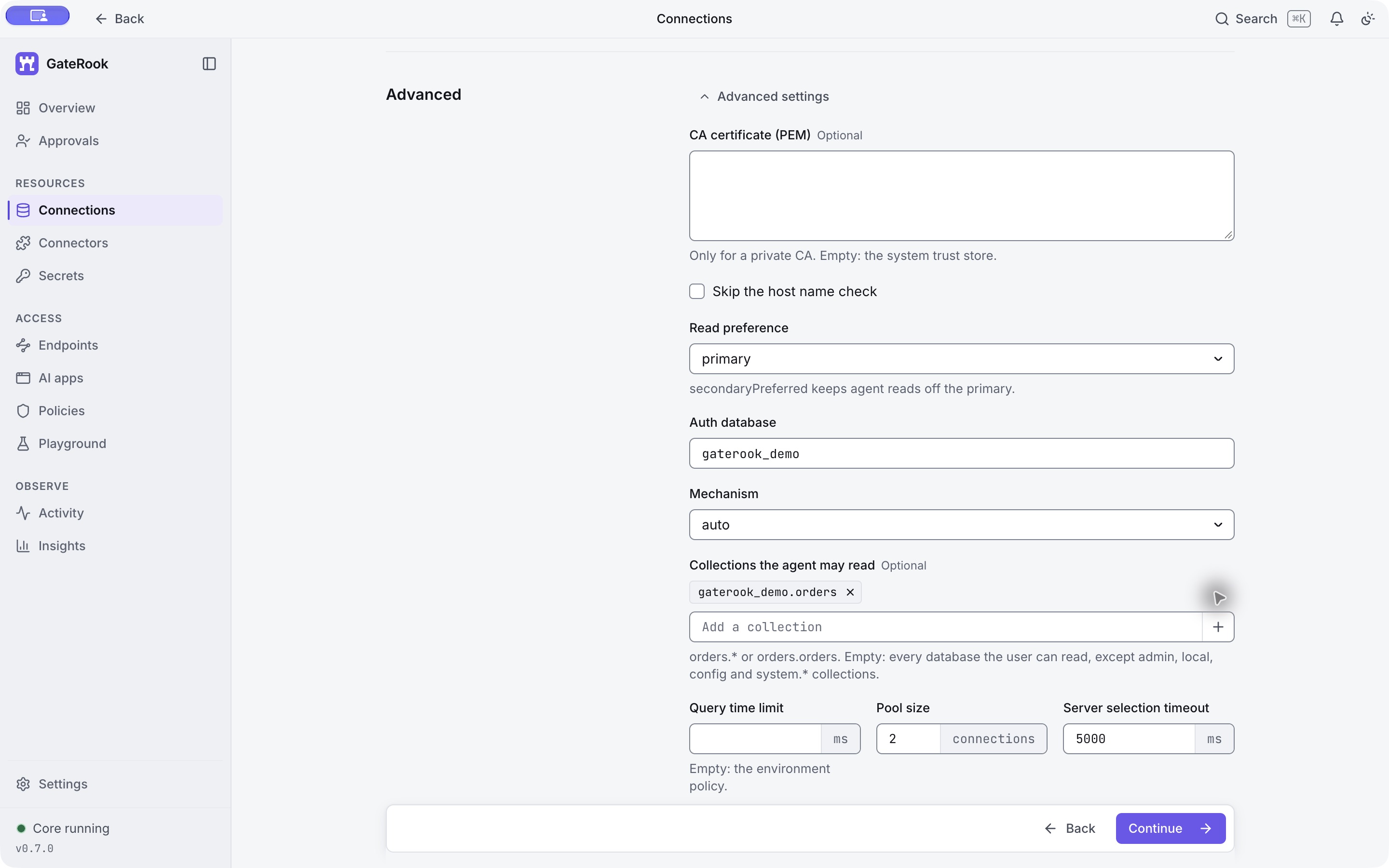
4. Set the authentication database and collection scope
Expand Advanced before loading databases:
| Field | Value |
|---|---|
| CA certificate | Empty for this local fixture |
| Skip the host name check | Unchecked |
| Read preference | primary |
| Auth database | gaterook_demo |
| Mechanism | auto |
| Collections the agent may read | Add gaterook_demo.orders with the + button |
| Query time limit | Empty, to inherit the environment policy |
| Pool size | 2 |
| Server selection timeout | 5000 ms |
Auth database is where the user was created. Leaving the default admin would authenticate this tutorial user against the wrong database. It is separate from the database selection that controls what the agent may use.
The collection entry is a complete namespace: database plus collection. Check that it appears as a chip after pressing +. The selected database and collection allowlist further restrict what this connection exposes; they do not grant MongoDB privileges.
5. Load and select the database
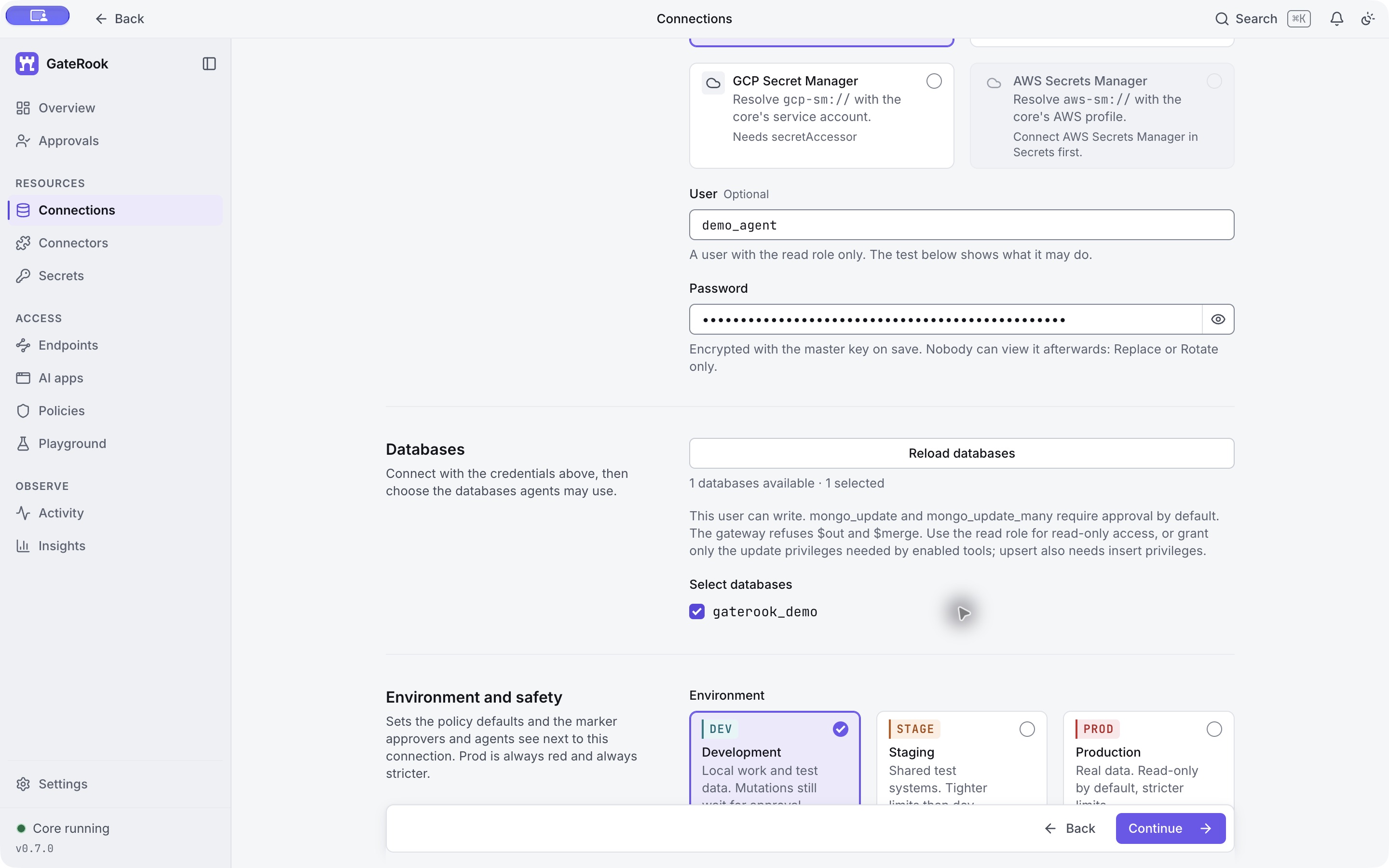
Select Load databases, then tick gaterook_demo. The wizard should show 1 databases available · 1 selected. Discovering a database and selecting it are separate steps.
Keep DEV Development selected. Its description states that mutations still wait for approval. Reload the database list if you change the server, credentials, or authentication settings.
6. Test the connection
Select Continue. GateRook connects with the entered settings and reports the server version, identity, and permissions.
This run returned Connected · MongoDB 7.0.34, identified demo_agent@gaterook_demo, and reported update on gaterook_demo.orders through the custom orderUpdater role.
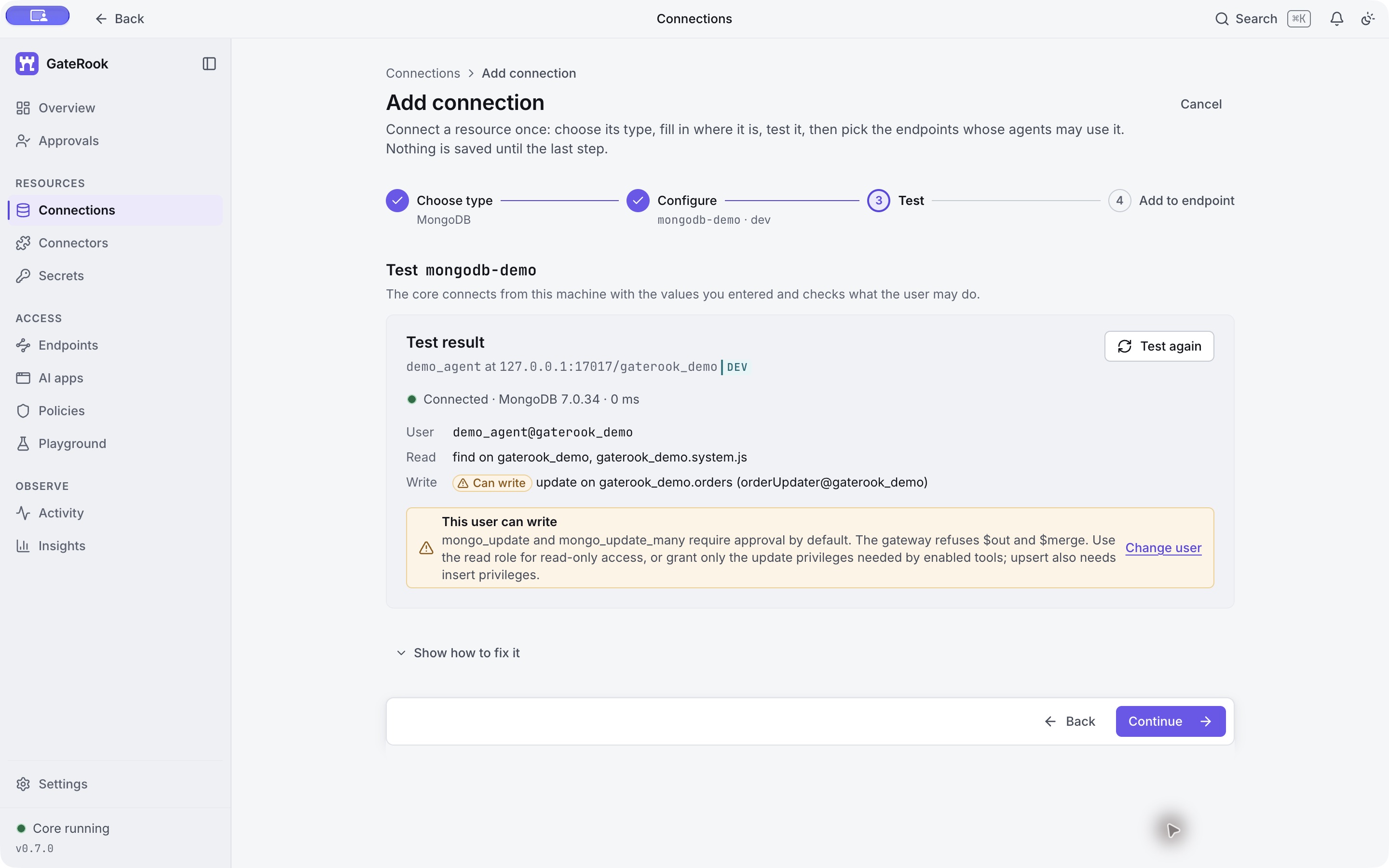
The write warning is expected because the walkthrough includes an approved update. For read-only use, omit the custom update role. An approval does not grant permissions that the database account lacks; for example, this account cannot insert a document through an upsert.
7. Attach the connection to showcase
Continue to Add to endpoint. Untick default and tick only showcase. Review the default tool modes and select Save connection.
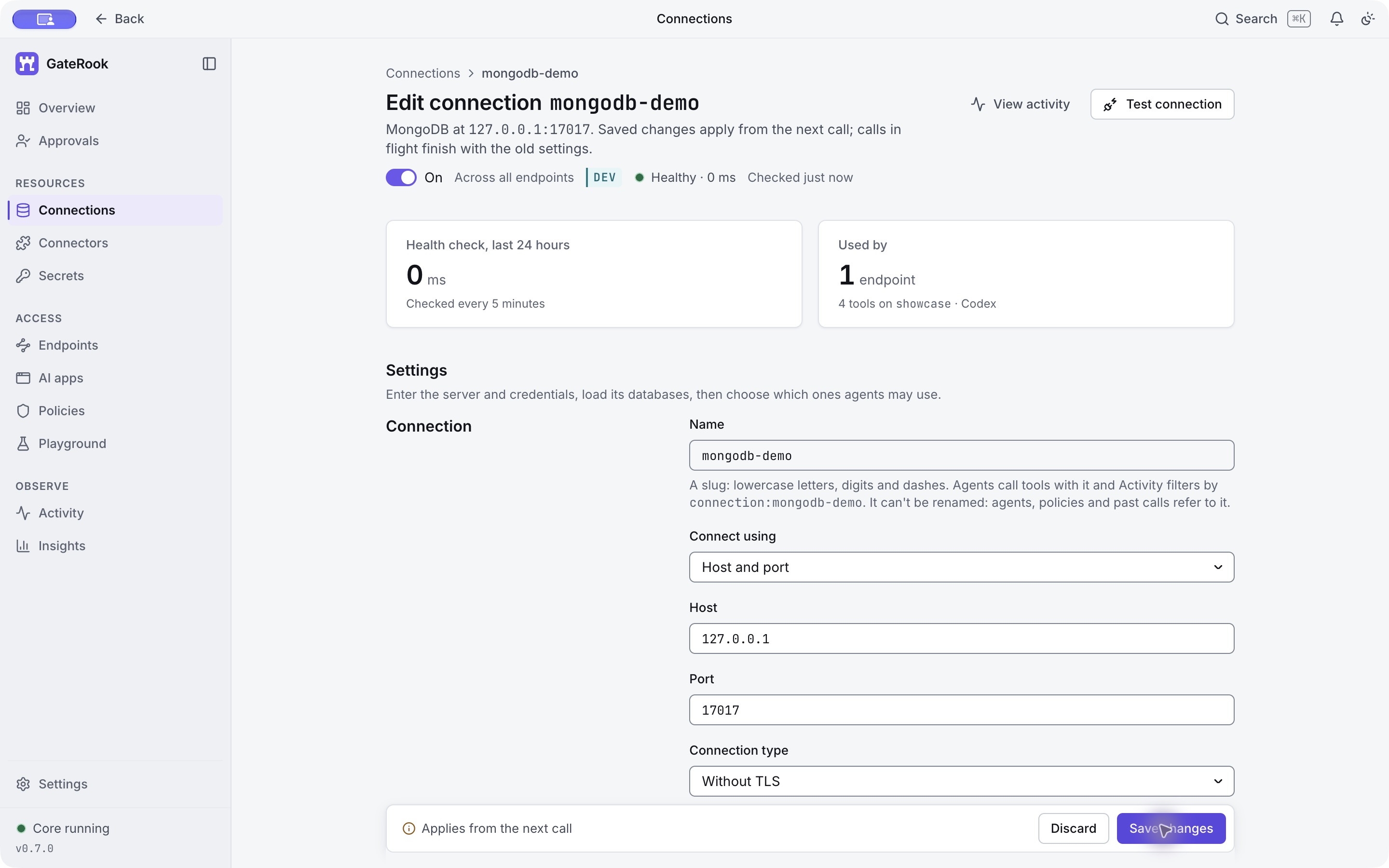
The saved page confirms Healthy, 1 endpoint, and 4 tools on showcase · Codex. The saved credential is write-only: its settings show an encrypted version and offer replacement, not a readable password.
8. Understand the route and tool modes
Open Endpoints → showcase. The diagram shows the route from Codex to the endpoint, its policy and limits, and the connections behind it. The endpoint now includes mongodb-demo alongside the existing tutorial connections.
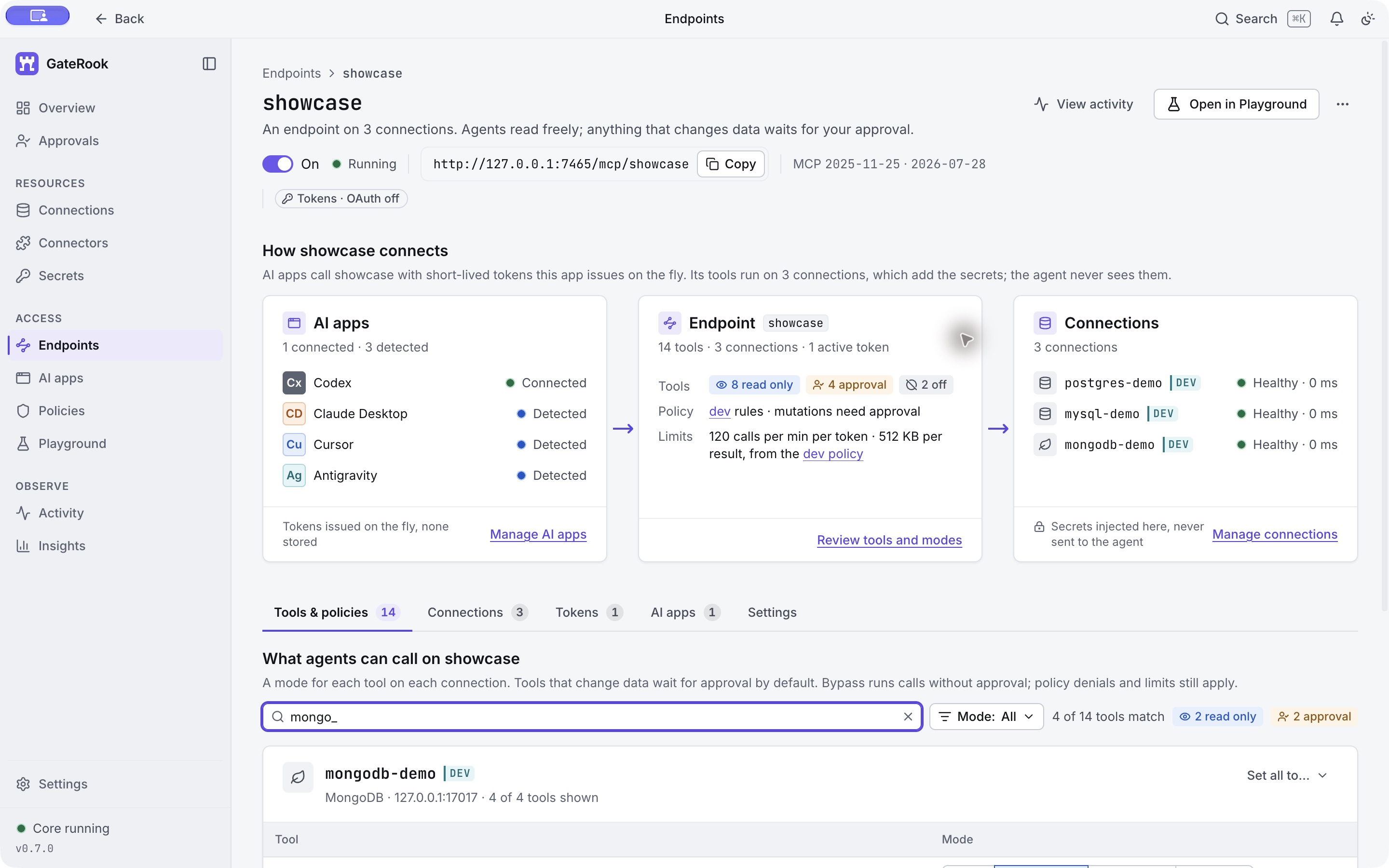
In Tools & policies, search for mongo_ and inspect the four tools:
| Tool | Mode in this walkthrough | Behavior |
|---|---|---|
mongo_find | Read only | Finds documents with a filter, projection, sort, and result limit. |
mongo_aggregate | Read only | Runs a read aggregation pipeline; $out and $merge are refused. |
mongo_update | Approval | Updates the first matching document after a person approves the exact action. |
mongo_update_many | Approval | Updates every matching document after approval. The read result limit does not cap the number of updates. |
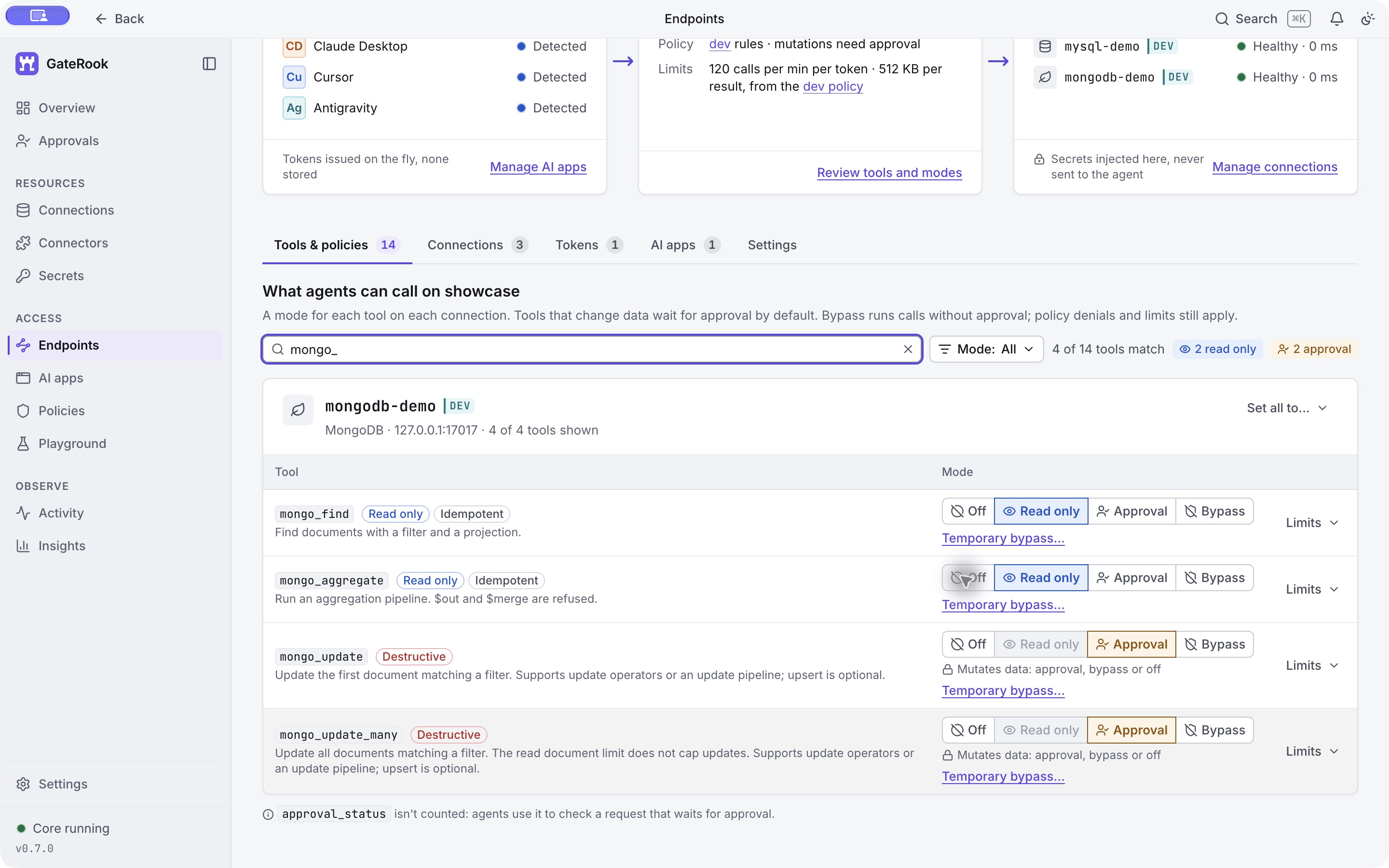
Keep the update tools in Approval for this walkthrough. A call names the connection, database, and collection. GateRook checks access, tool mode, policy, and limits, then uses the stored credential and records the outcome. The advertised read limits here are 1,000 documents and five seconds; our requests ask for at most ten documents.
If the AI app still shows its previous tool list, refresh its MCP connection. All five demonstration tool calls passed through the authenticated showcase endpoint. Activity identifies the client as Codex.
9. Find documents and summarize the collection
Ask your AI app:
Through showcase, use mongodb-demo, database gaterook_demo, collection orders. Show all four orders sorted by _id. Then show pending orders with only _id, status, and total_cents. Finally, summarize the order count and total_cents by status.
The initial mongo_find arguments were:
{
  "connection": "mongodb-demo",
  "database": "gaterook_demo",
  "collection": "orders",
  "filter": {},
  "sort": { "_id": 1 },
  "limit": 10
}
The result contained four documents, with truncated: false:
| _id | customer_name | status | total_cents |
|---|---|---|---|
| 1001 | Avery Stone | pending | 12990 |
| 1002 | Morgan Reed | paid | 8900 |
| 1003 | Riley Chen | pending | 24900 |
| 1004 | Jordan Lee | shipped | 4950 |
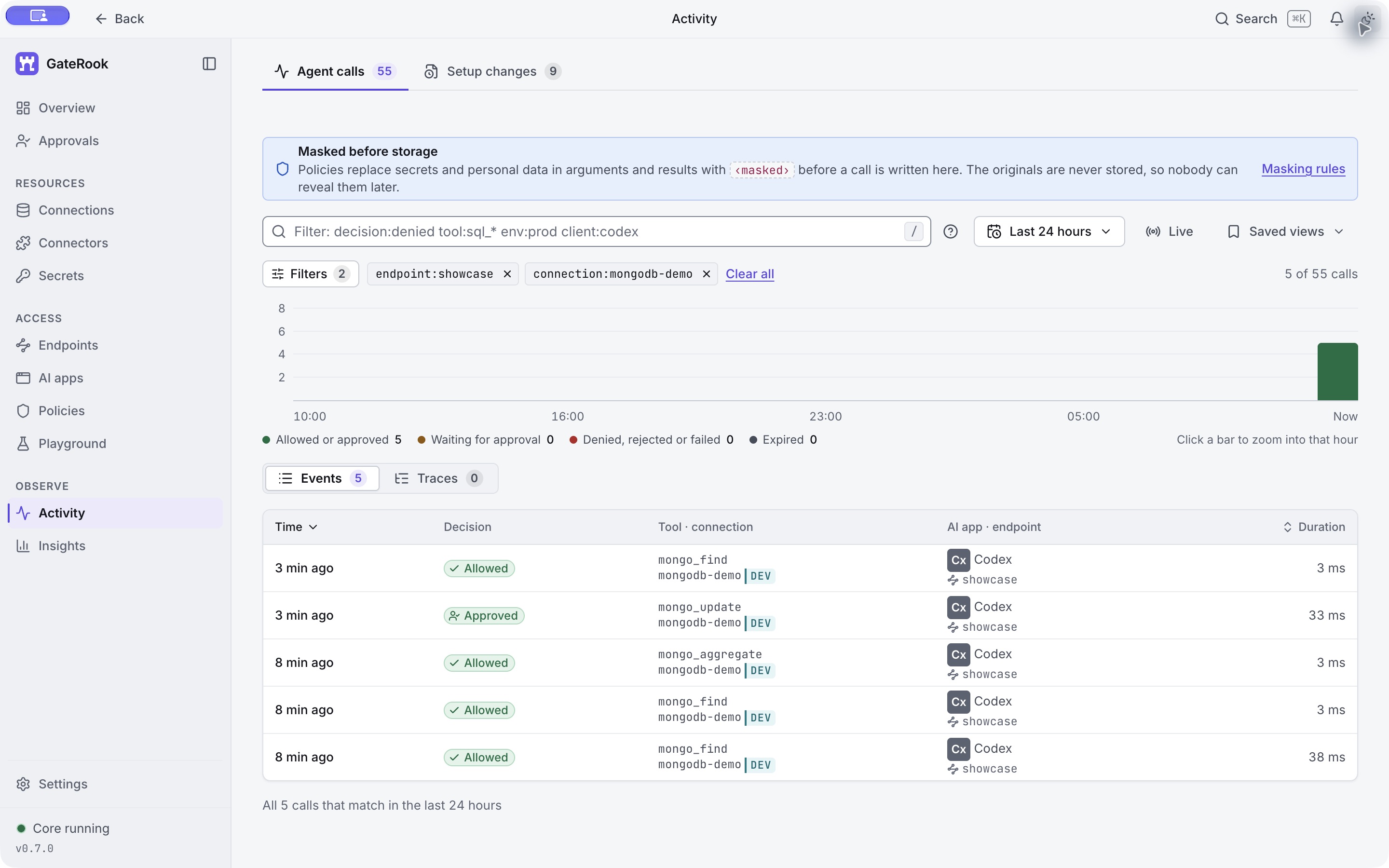
Open Activity → Agent calls, enter the following filter, and press Enter:
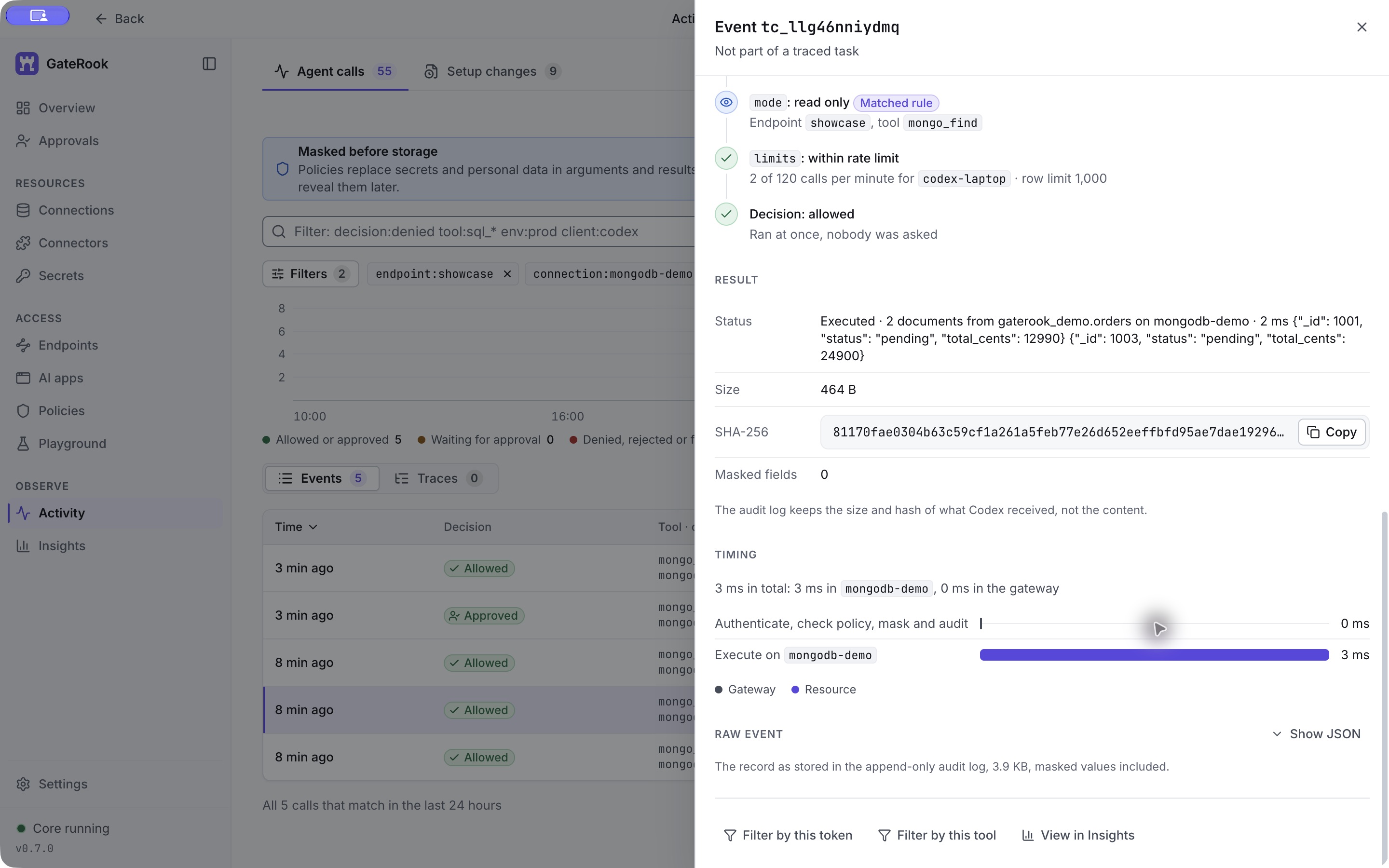
endpoint:showcase connection:mongodb-demoOpen the first mongo_find event. Request identifies the client, endpoint, and transport. Arguments records the exact filter, sort, and limit.
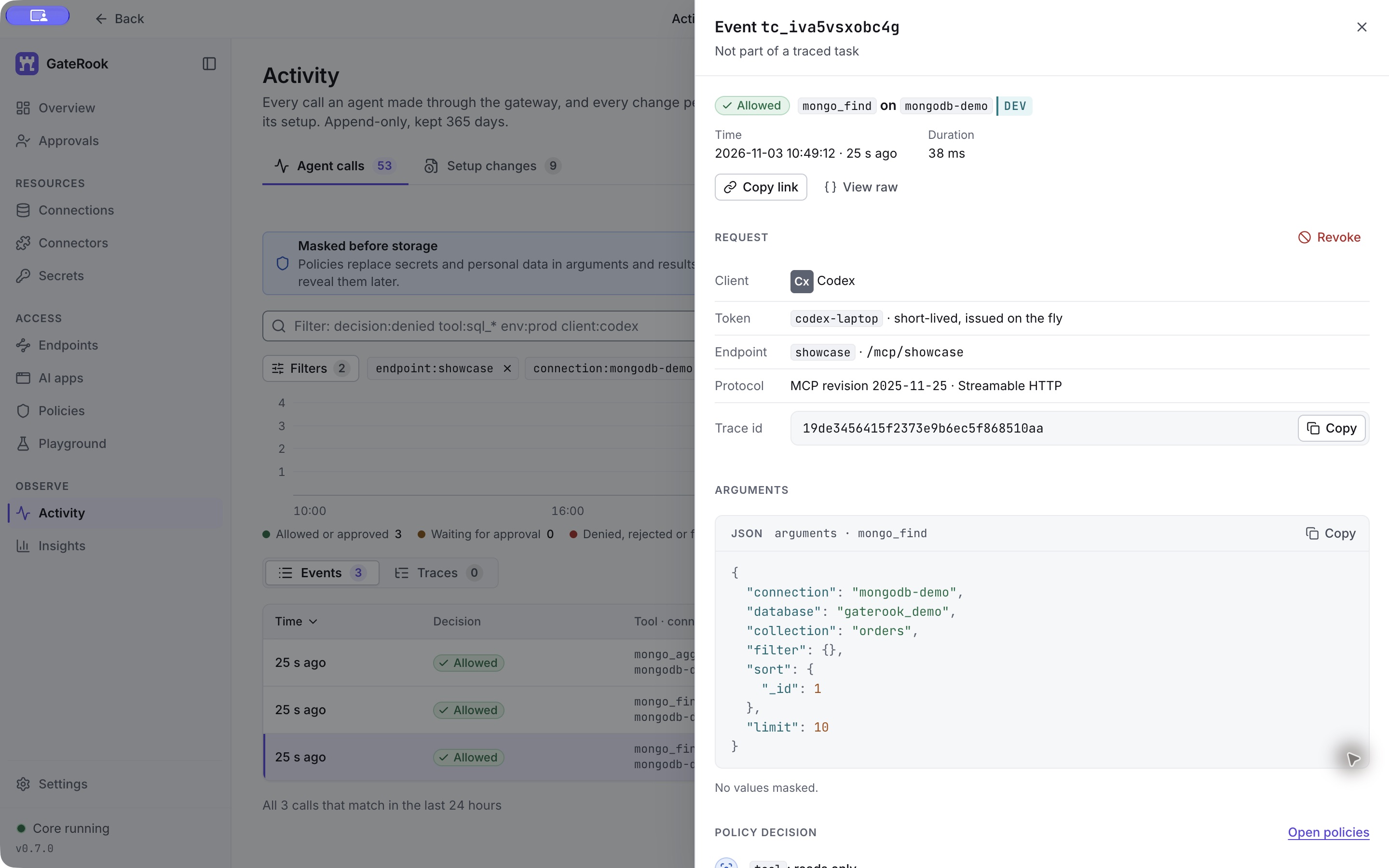
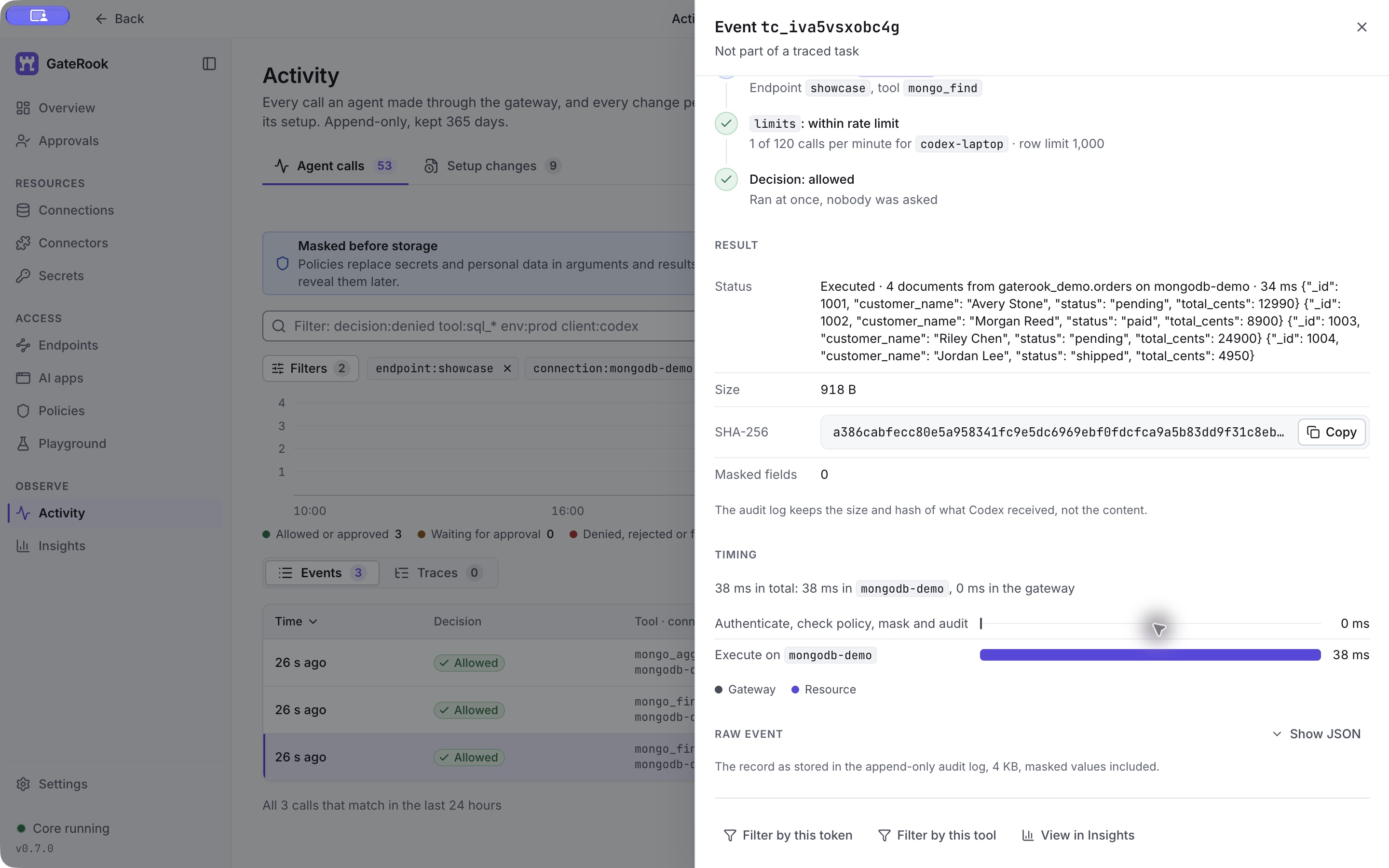
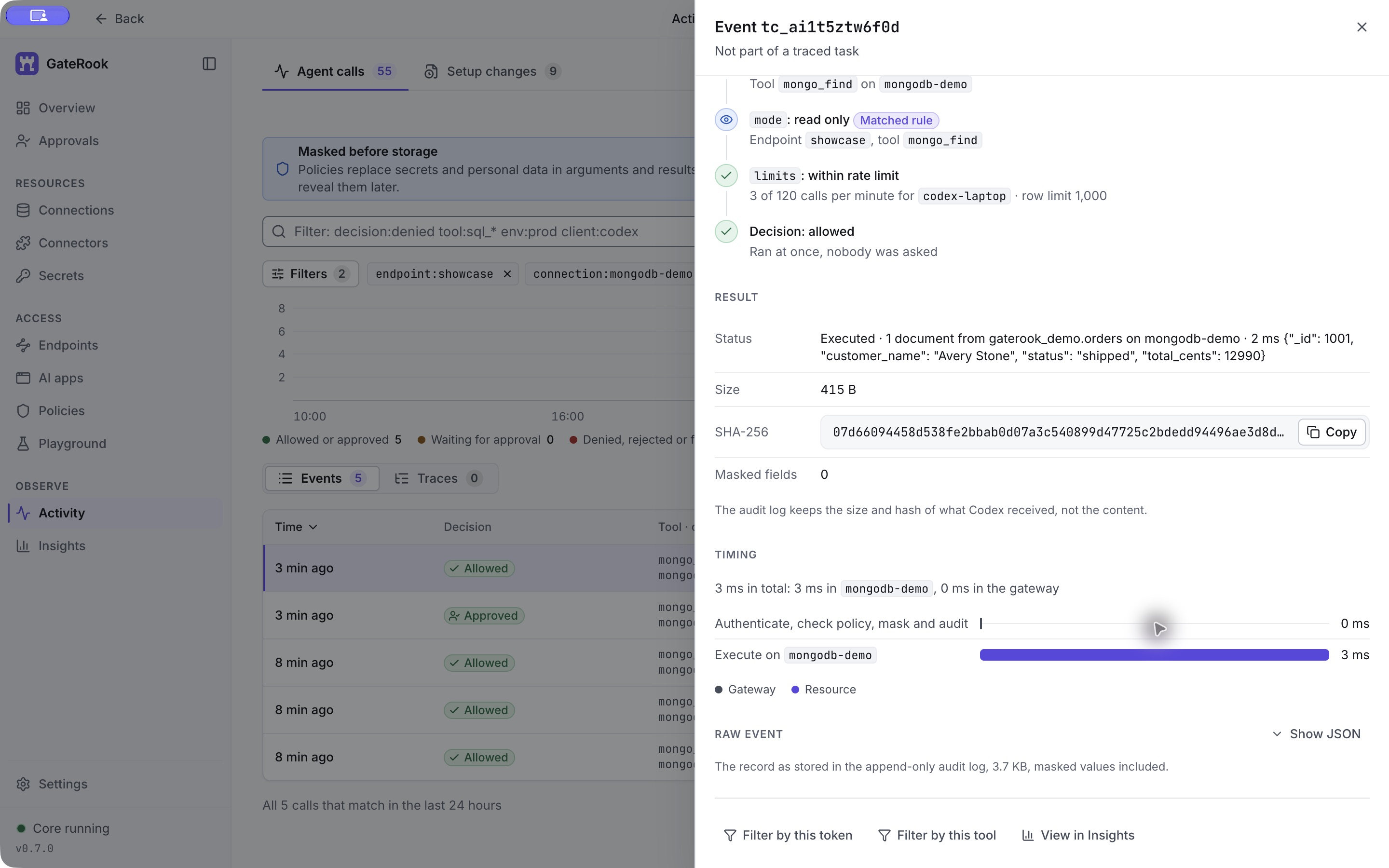
Scroll down to Policy decision, Result, and Timing. This read was Allowed and ran immediately. The event shows four documents in its result summary, the response size and hash, and zero masked fields for this fictional dataset.
The second mongo_find used a filter and projection:
{
  "connection": "mongodb-demo",
  "database": "gaterook_demo",
  "collection": "orders",
  "filter": { "status": "pending" },
  "projection": { "_id": 1, "status": 1, "total_cents": 1 },
  "sort": { "_id": 1 },
  "limit": 10
}
It returned orders 1001 and 1003, without customer_name. The projection selects fields explicitly; it is not evidence that an automatic personal-data masking rule matched.
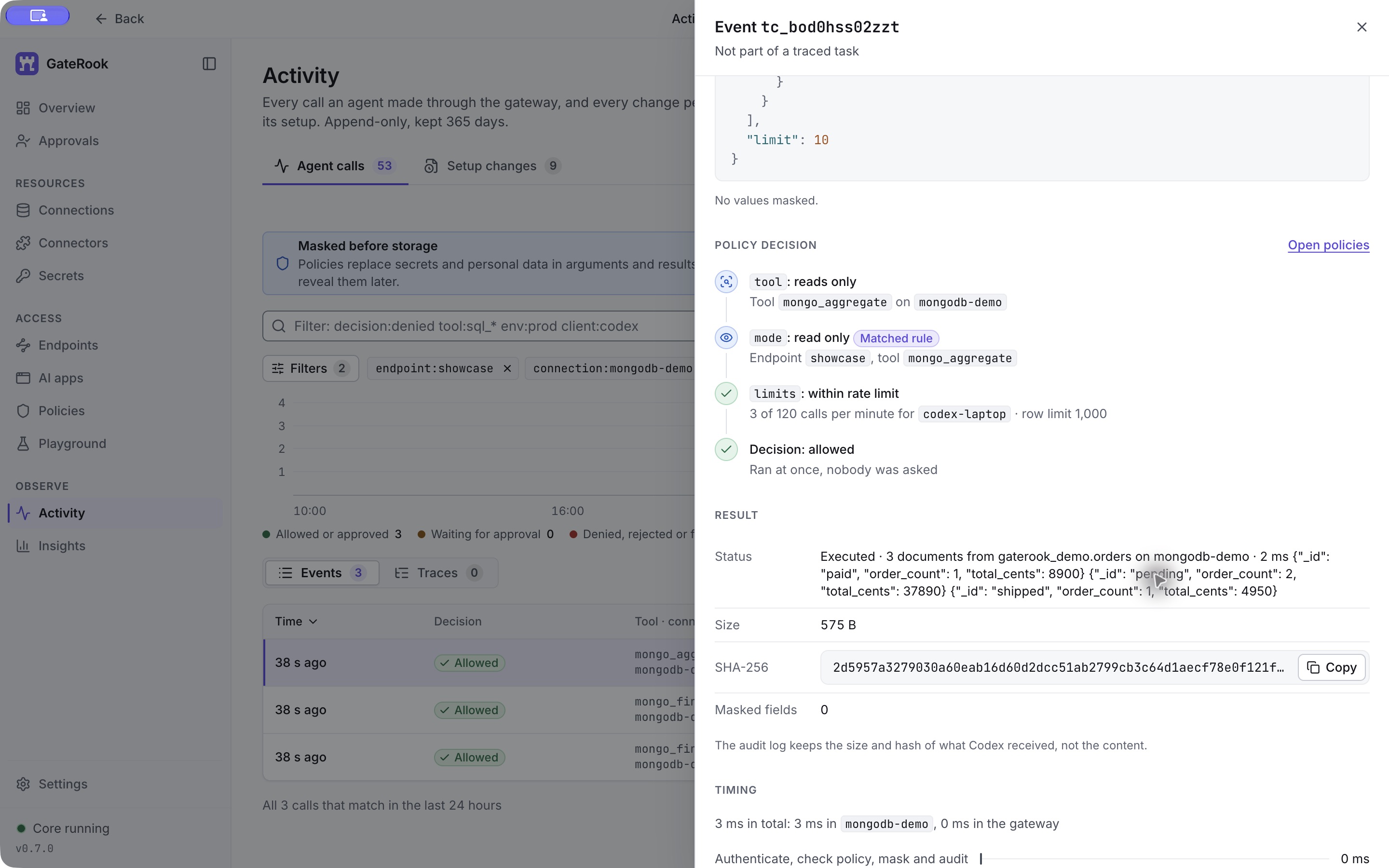
The mongo_aggregate call grouped the documents by status:
{
  "connection": "mongodb-demo",
  "database": "gaterook_demo",
  "collection": "orders",
  "pipeline": [
    {
      "$group": {
        "_id": "$status",
        "order_count": { "$sum": 1 },
        "total_cents": { "$sum": "$total_cents" }
      }
    },
    { "$sort": { "_id": 1 } }
  ],
  "limit": 10
}| _id (status) | order_count | total_cents |
|---|---|---|
| paid | 1 | 8900 |
| pending | 2 | 37890 |
| shipped | 1 | 4950 |
10. Request an update and review the exact action
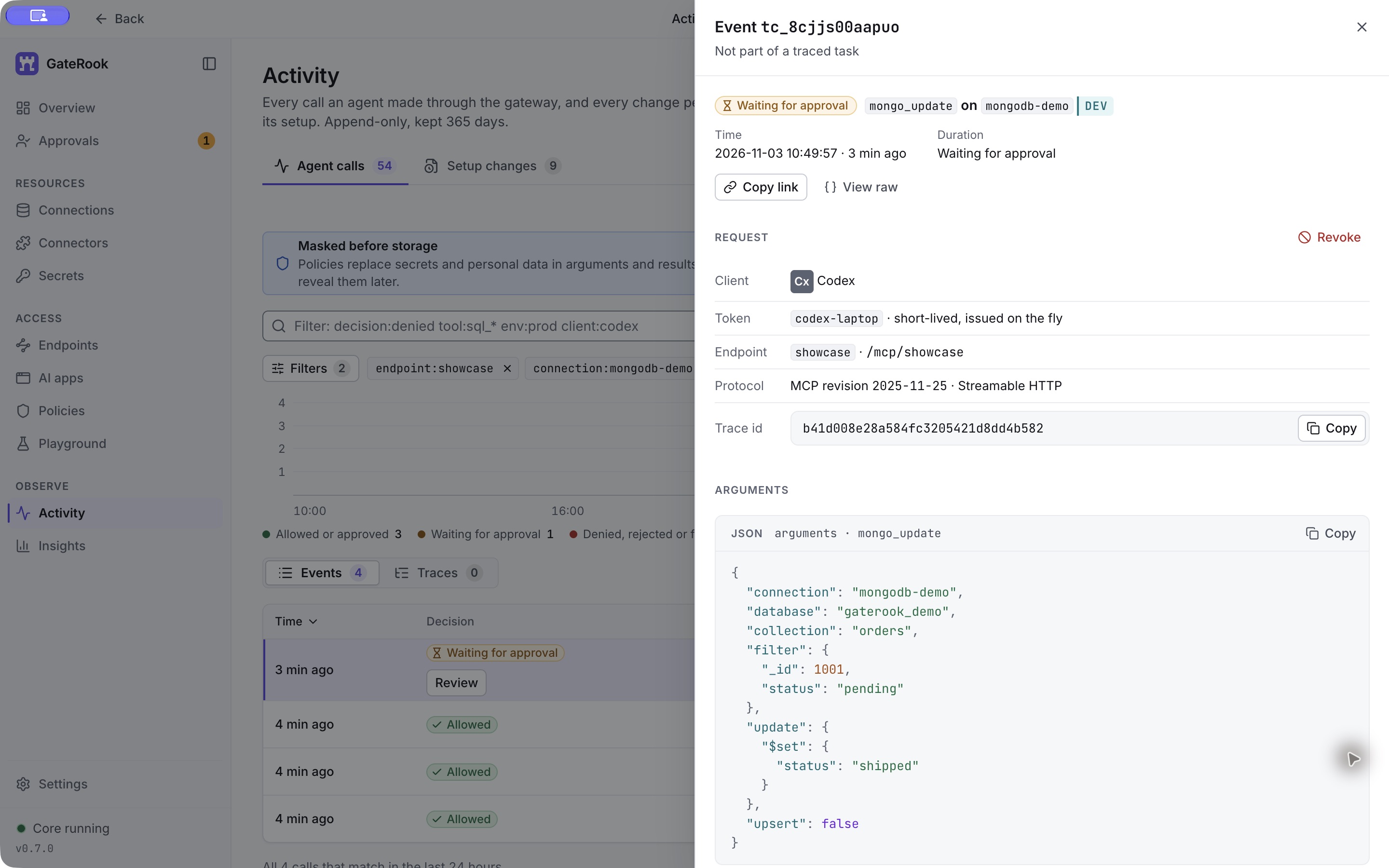
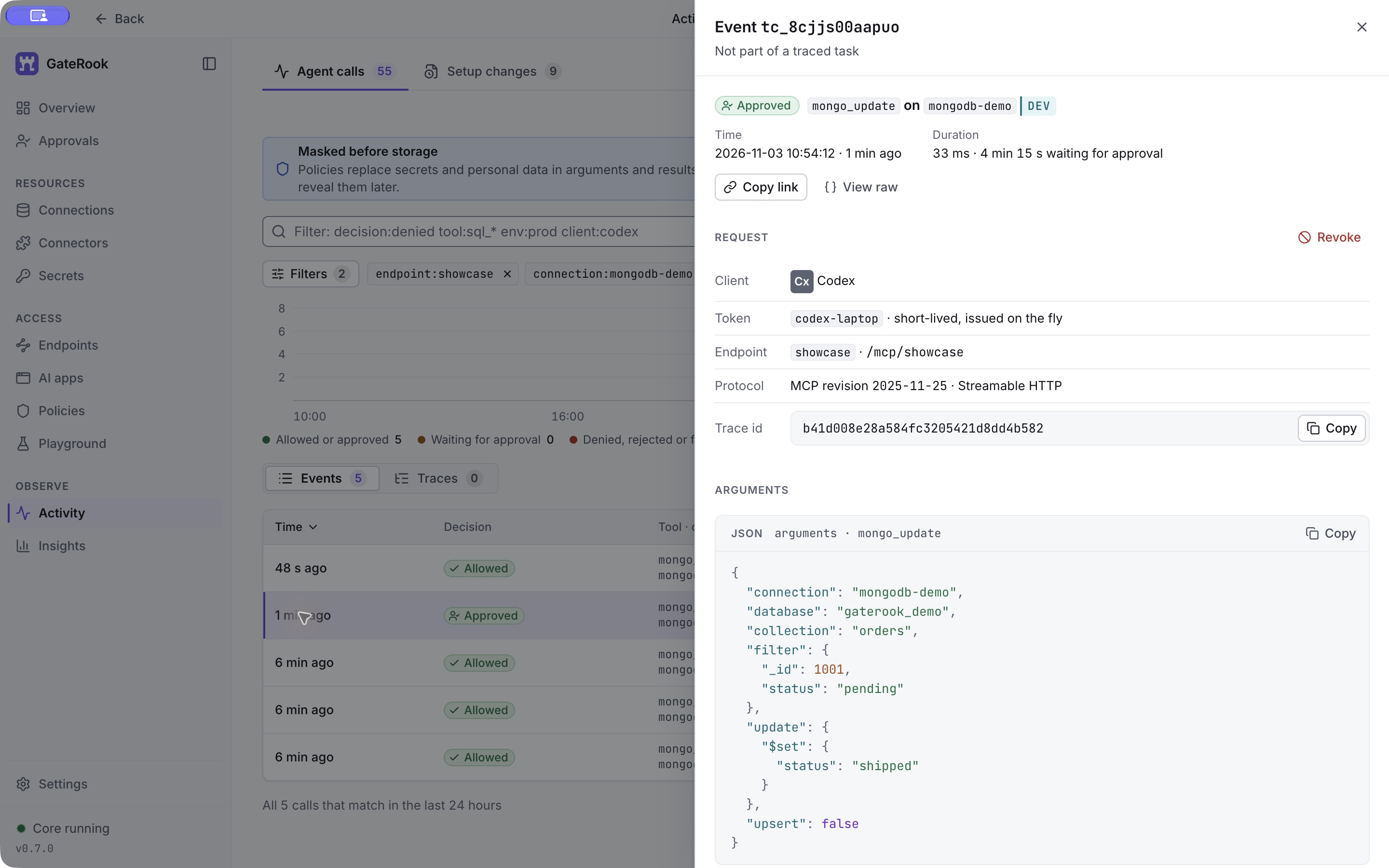
Ask the AI to change order 1001 from pending to shipped, only if it is still pending. The mongo_update request is:
{
  "connection": "mongodb-demo",
  "database": "gaterook_demo",
  "collection": "orders",
  "filter": { "_id": 1001, "status": "pending" },
  "update": { "$set": { "status": "shipped" } },
  "upsert": false
}
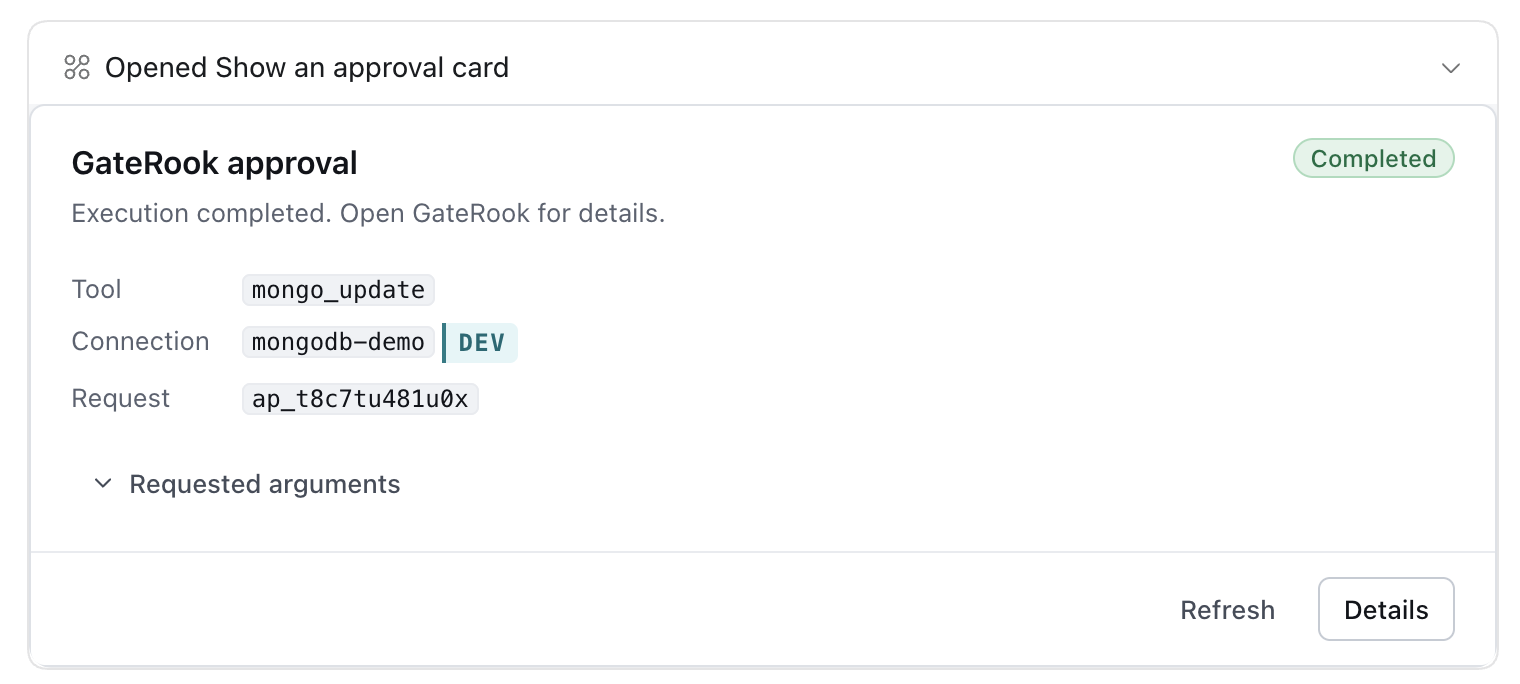
GateRook returns a pending approval handle: the update has not executed. The AI displays the approval card once and polls approval_status with that handle. It must not repeat the original mutation while waiting.
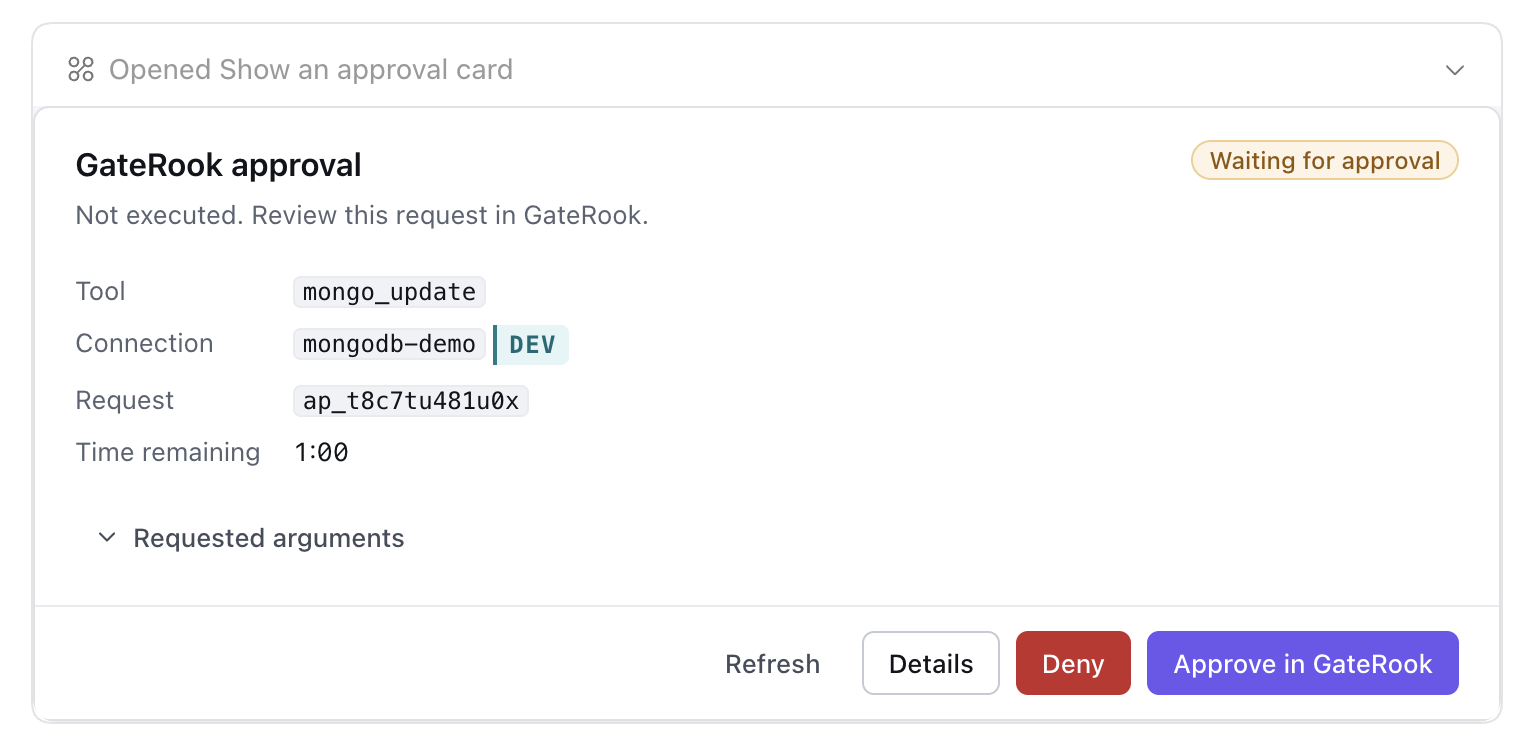
In Approvals, review mongo_update on mongodb-demo, endpoint showcase, environment DEV. The matched rule is dev.mongodb.write-approval. The exact action is the prepared MongoDB command, including the filter, $set, multi: false, upsert: false, write concern, and a five-second time limit.
The impact panel identifies database gaterook_demo, collection orders, at most one affected document, and upsert disabled. This describes the operation's scope; the completed result establishes how many documents actually matched and changed.
Add an optional comment, then select Approve and run, or Deny to refuse the action. Only a person can approve in GateRook. Opening the chat card does not approve anything, and an unanswered request expires at its displayed deadline. Leave temporary bypass unused so future changes still require approval.
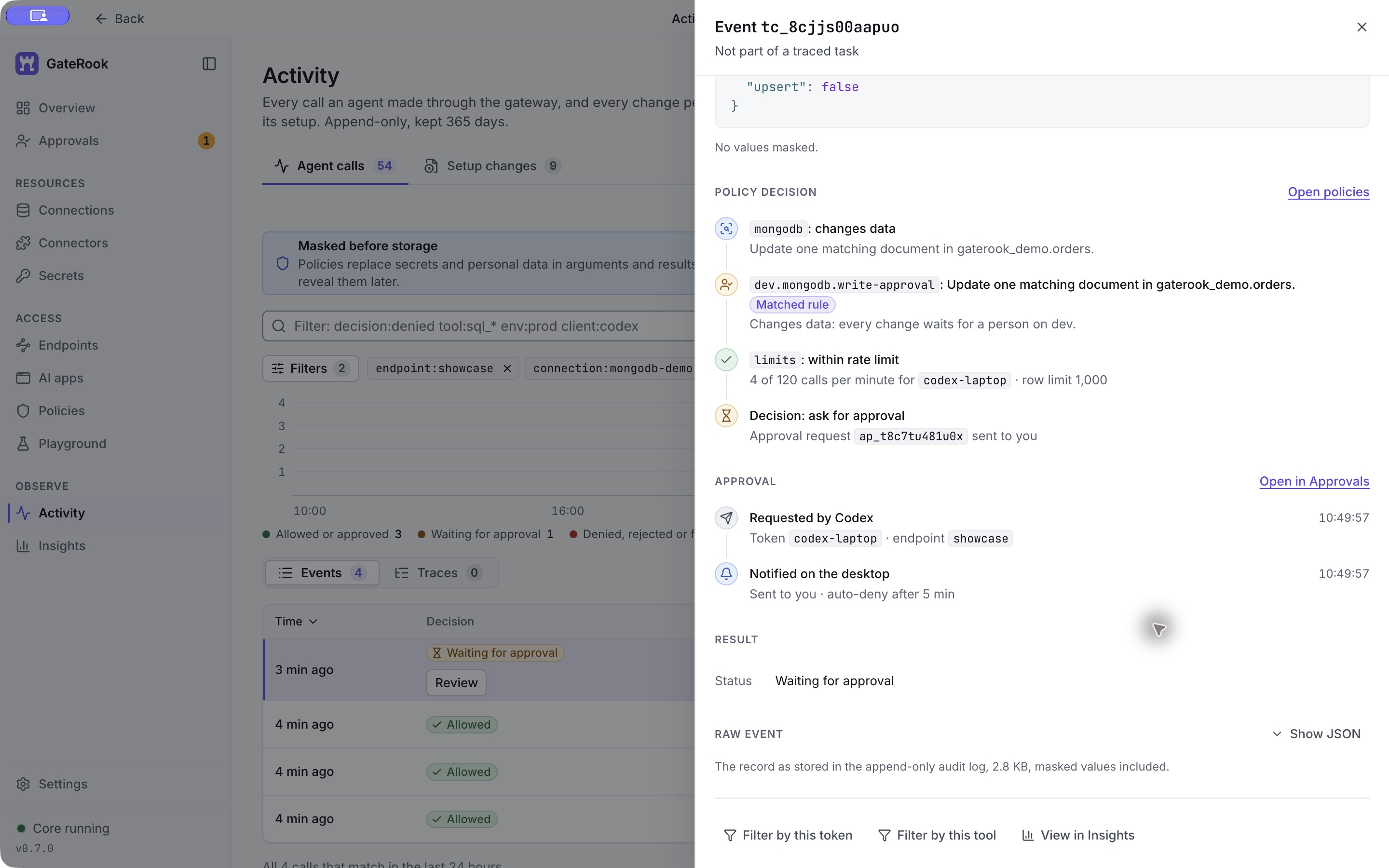
In this run, the operator approved request ap_t8c7tu481u0x at 10:54:12 on November 3, 2026 (Europe/Madrid), after a wait of four minutes and fifteen seconds. The card changed to Completed.
The completed tool result was:
{
  "tool": "mongo_update",
  "connection": "mongodb-demo",
  "database": "gaterook_demo",
  "collection": "orders",
  "acknowledged": true,
  "matchedCount": 1,
  "modifiedCount": 1,
  "upsertedId": null,
  "elapsedMs": 32
}
One existing document matched and changed. No document was inserted. The event is now Approved, with the original arguments still visible.
11. Read the document again to verify the change
Ask the AI to retrieve order 1001 through the same connection. This is a new mongo_find call:
{
  "connection": "mongodb-demo",
  "database": "gaterook_demo",
  "collection": "orders",
  "filter": { "_id": 1001 },
  "limit": 1
}
The call returned one document with truncated: false:
{
  "_id": 1001,
  "customer_name": "Avery Stone",
  "status": "shipped",
  "total_cents": 12990
}
The update acknowledgement and this subsequent read provide two separate checks: MongoDB reported one modification, and the document now has the requested status.
The update uses a conditional filter. Repeating it after this change would match zero documents because order 1001 is no longer pending.
12. Follow the complete operation history
Return to Activity → Agent calls and keep the filter endpoint:showcase connection:mongodb-demo. The completed walkthrough has five events, shown newest first:
| Call | Decision | Observed outcome |
|---|---|---|
Verify order 1001 with mongo_find | Allowed | One document, status shipped. |
Change its status with mongo_update | Approved | One matched, one modified. |
Summarize with mongo_aggregate | Allowed | Three status groups before the update. |
Filter pending orders with mongo_find | Allowed | Two projected documents before the update. |
Read all orders with mongo_find | Allowed | Four documents before the update. |
Open the approved update and scroll to Approval. The timeline records the request, desktop notification, human decision, and execution. It also records the approved action's SHA-256 and confirms that the executed command matches the approved action, byte for byte. Approval waiting time is separate from execution time: this event waited four minutes and fifteen seconds and then executed in 33 ms total.
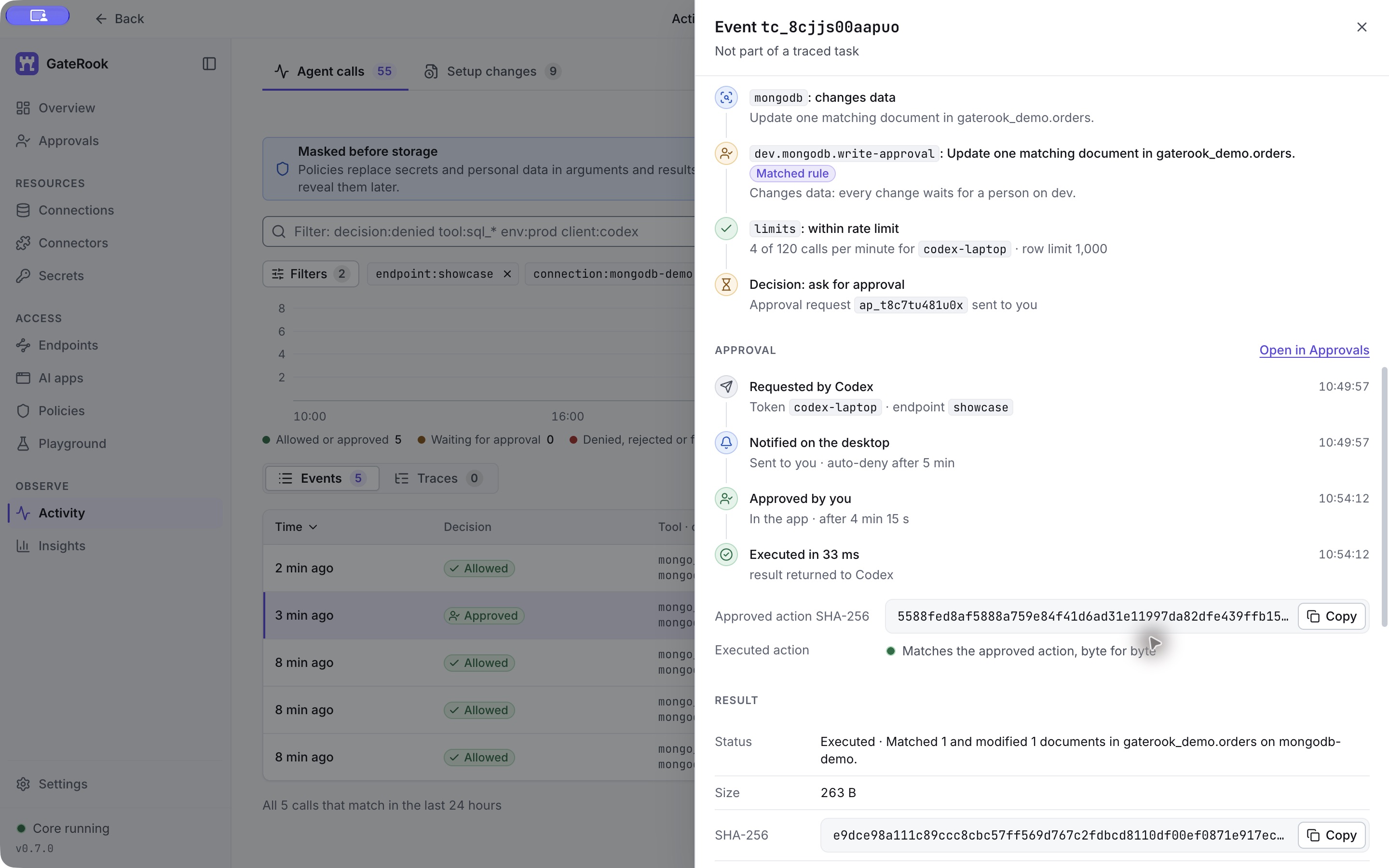
Use the event panels to answer specific questions:
| Panel | What to check |
|---|---|
| Request | Which client and token alias called which endpoint. The alias is not the token secret. |
| Arguments | The connection, namespace, filter, projection, pipeline, or update requested. |
| Policy decision | Which rules and limits were evaluated, and why the operation ran or waited. |
| Approval | When a person decided, what action was approved, and whether that exact action executed. |
| Result | Execution status, a result summary, response size and hash, and masked-field count. |
| Timing | Time spent in the gateway and the resource, separate from the approval wait. |
View raw or Show JSON exposes the stored event; Copy link gives a local link back to it. Filter by this tool and View in Insights help investigate related calls. Treat Activity as an audit record with result summaries and metadata, rather than a complete archive of every returned document. Masking depends on the configured rules; the fictional data in this walkthrough matched zero masking fields.
Keep or stop the demo
The connection is attached only to showcase. You can keep the container running to repeat reads and inspect Activity.
To pause access while retaining the connection, turn its On switch off. This affects the connection across endpoints. Turning an endpoint off pauses access through that endpoint; past Activity remains available.
Stop the fixture without deleting its data:
docker stop gaterook-mongodb-showcaseResume it later:
docker start gaterook-mongodb-showcaseWait for healthy, then use Test connection in GateRook. The health check expects the original four documents; the demonstrated status update does not change their count. Keep the private environment and initialization files for this fixture, and do not commit the generated passwords.