
GateRook adds one server to Codex's config, ~/.codex/config.toml, and backs up the file first. The entry holds no token: Codex runs GateRook's helper, which gives it a 15-minute token whenever it needs one.
Before you start, install GateRook and Codex. The screenshots come from a local test setup with one MySQL connection, mysql-demo, on the default endpoint. Your connections and endpoint address can differ. Select a screenshot to open it at full size.
1. Choose Codex and select Connect
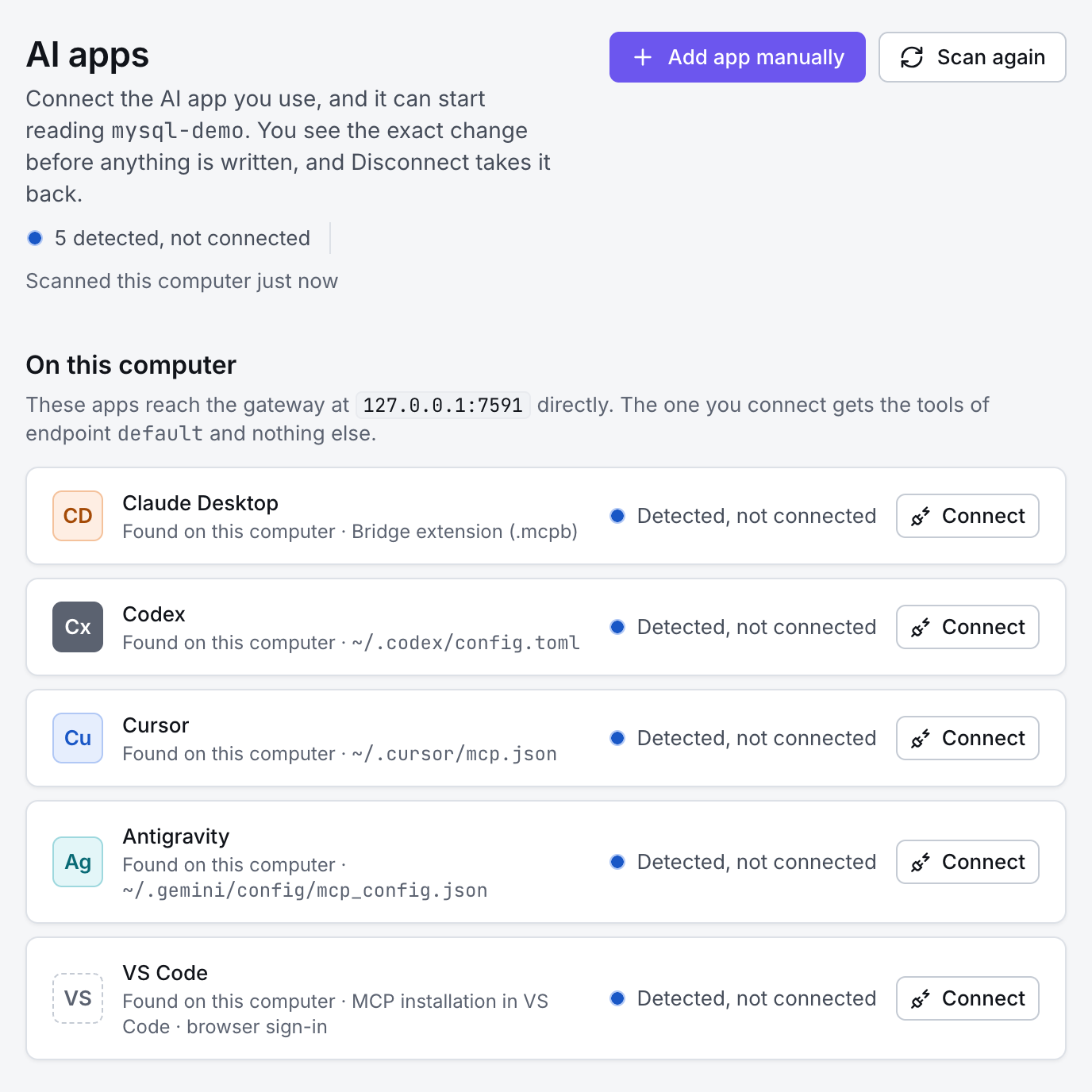
Open GateRook and go to AI apps. GateRook lists the AI apps it finds on this computer. Next to Codex, select Connect.
2. Review the change and confirm
GateRook shows what Codex can use and, under What will change, the exact entry it adds to ~/.codex/config.toml. Check it, then select Connect Codex.
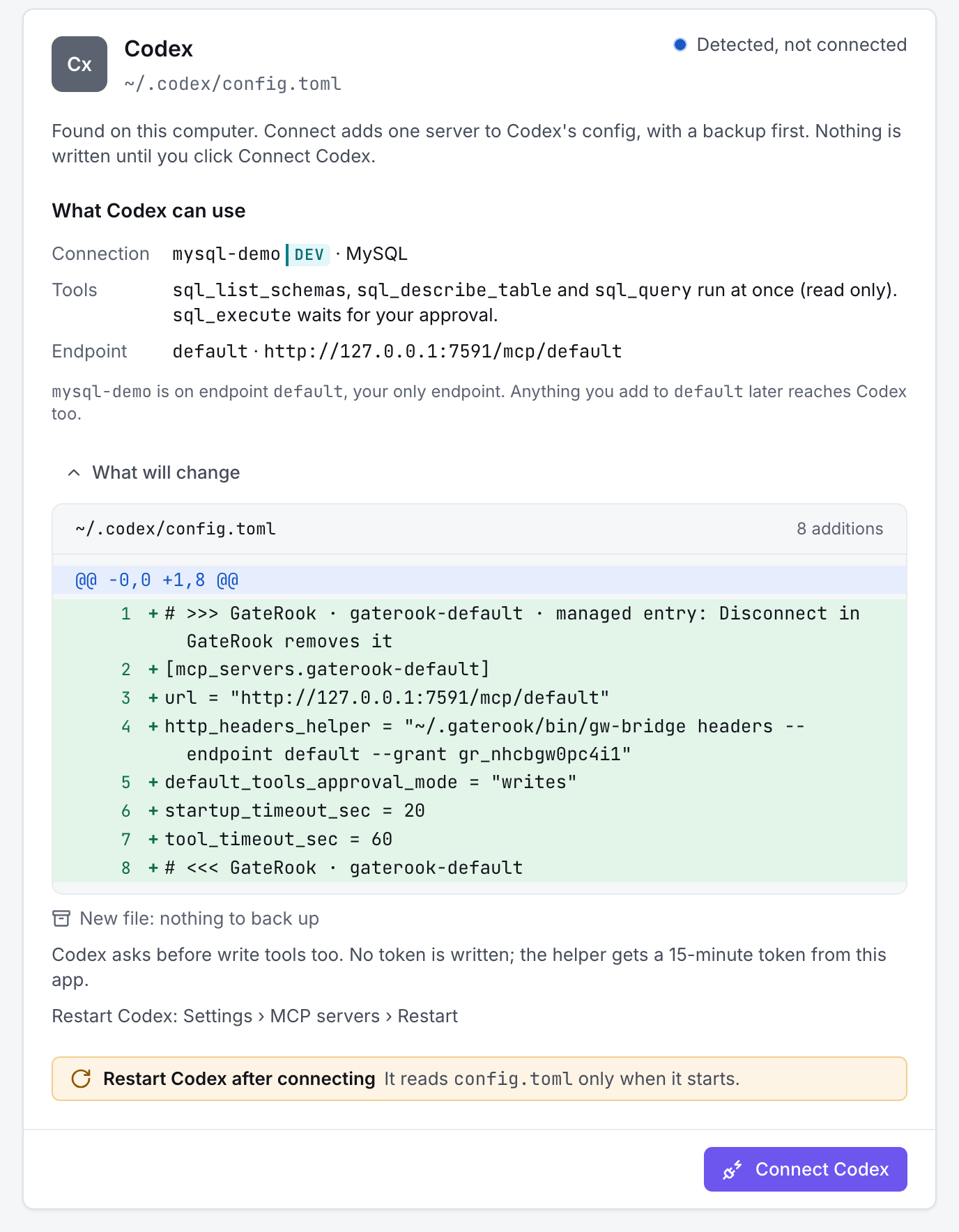
Restart Codex. It reads config.toml only when it starts.
3. Check the connection with a prompt
Under Check that it works, GateRook suggests a prompt for your first connection, here Show me the tables in mysql-demo. After the restart, open a new chat in Codex and ask it.
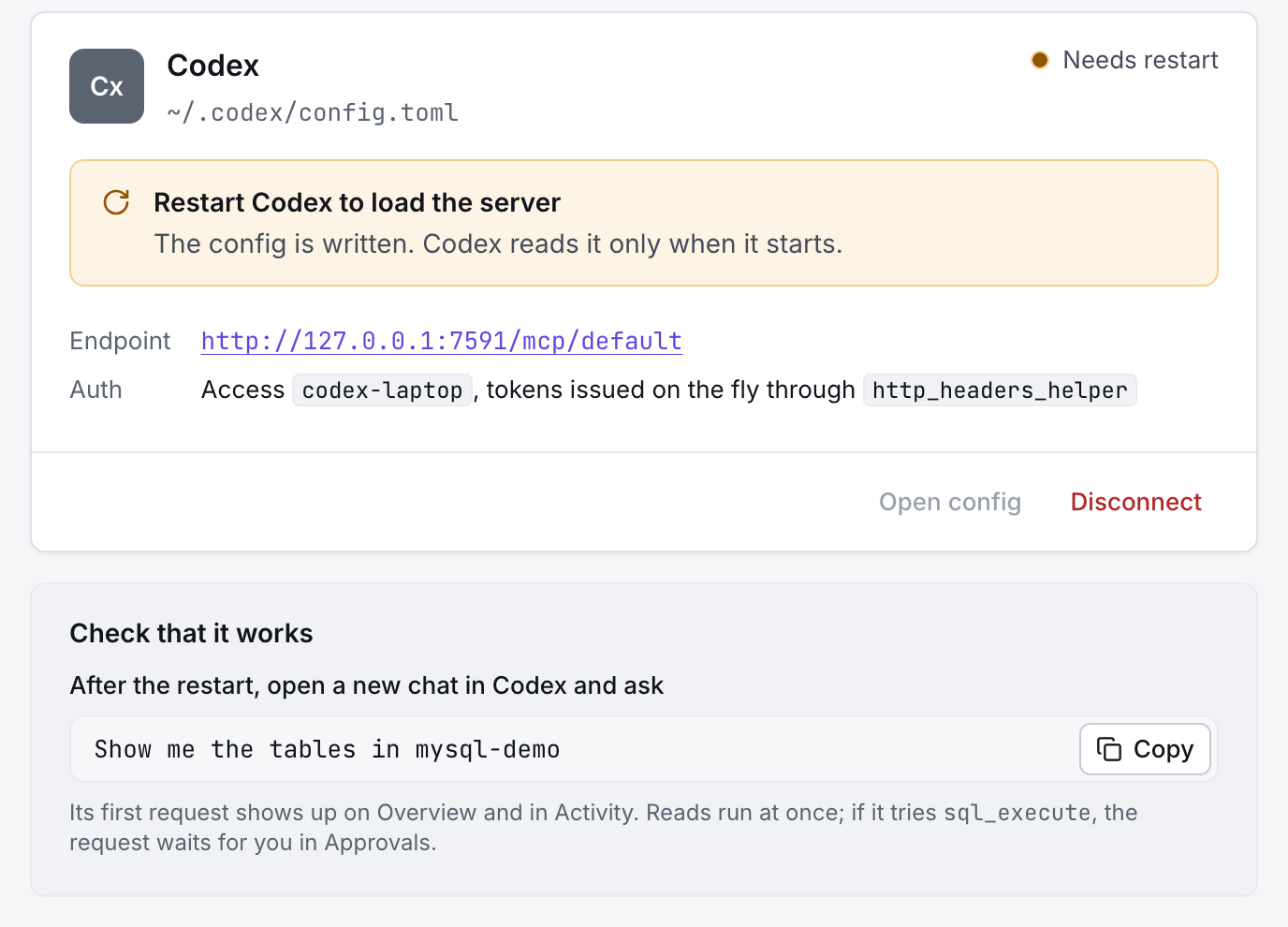
Codex answers through GateRook's tools. As its entry sets, Codex asks you before write tools. Reads run at once, changes wait for you in Approvals, and every request appears in Activity.
Next, give Codex more to work with: add a database, logs, a cloud account or an MCP server.