
Amazon OpenSearch Service uses GateRook’s OpenSearch connector. With fine-grained access control and an internal user and password.
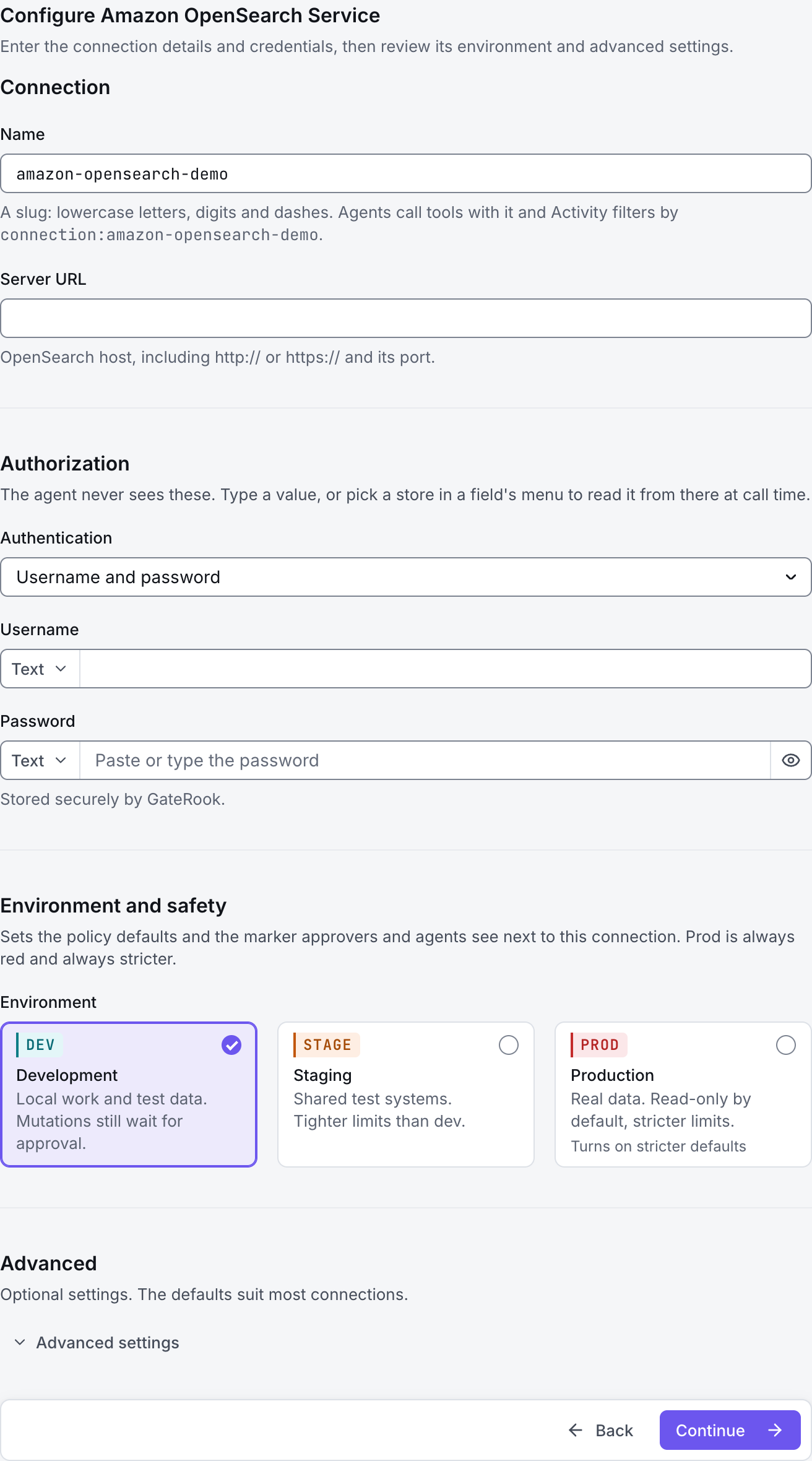
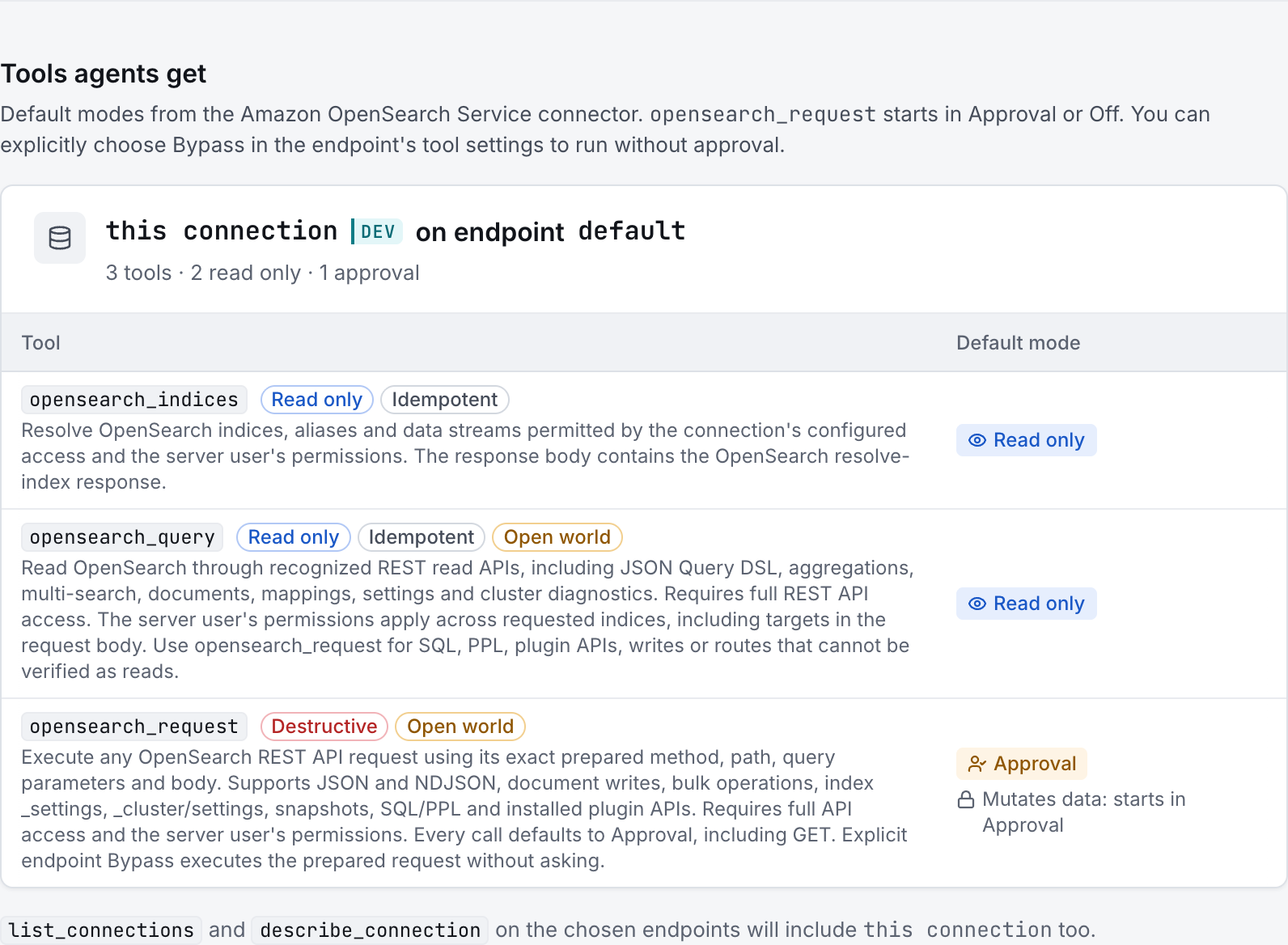
The screenshots show GateRook 2.0.0: the Amazon OpenSearch Service form, the endpoint selector, and this connector’s actual tool preview. The form and preview have not been saved. Select a screenshot to open it at full size.
1. Create a connection and enter the settings
In GateRook, open Connections, select Add connection, search for Amazon OpenSearch Service, choose its card and select Continue to configure.
Copy the Amazon OpenSearch domain's HTTPS endpoint and ensure the GateRook computer can reach it, including through the VPC if the domain is private.
Identify the domain's authentication policy. An internal OpenSearch user uses basic authentication; an IAM-protected endpoint needs AWS-signed requests and the corresponding IAM and OpenSearch permissions.
Enter a Name, for example amazon-opensearch-demo. Your AI app uses this name to choose the connection.
Enter the domain REST endpoint in Server URL, rather than the OpenSearch Dashboards URL.
For an internal user, choose Username and password under Authentication and enter the assigned read-only Username and Password.
If the endpoint requires IAM, choose AWS request signing, set AWS region, and choose OpenSearch Service for AWS service. Select the appropriate Credential source in AWS credentials and supply the matching profile or access-key fields. Use OpenSearch Serverless only for a Serverless collection endpoint.
Choose Development, Staging or Production to match the service. Review the connector’s limit and access settings before continuing.
2. Test the connection and add it to an endpoint
Select Continue to test. GateRook checks the settings from your computer. Review the result and resolve any connection, certificate or permission error before continuing.
A 403 can come from the domain access policy, IAM permissions or fine-grained index permissions; verify the selected authentication method against all applicable controls. A timeout on a VPC domain requires network access rather than a different password.
After the test passes, select Continue to add to an endpoint. Choose the endpoint your AI app uses, review its tool modes, then select Save connection. GateRook offers default as the starter endpoint.

3. Use the connection from your AI IDE
After saving Amazon OpenSearch Service on the endpoint and passing its connection test, ask your AI app to use amazon-opensearch-demo, or the name you chose. If its tools are missing, confirm the endpoint assignment and refresh the MCP connection or start a new chat.
The preview below shows this connector’s default tools before saving. The table explains what each tool can do; connection settings, credentials and endpoint policies can restrict access further.
Start with a small read request. Replace example resource names with existing resources your connection may access. Open Activity after the call to inspect its connection, tool, arguments, policy decision and result metadata.
Ask your AI, for example
- “List the indexes this connection is allowed to inspect.”
- “Inspect the mappings of the application logs index.”
- “Search at most 20 error log entries from the last hour without changing the index.”
| Tool | What it does | Starts as |
|---|---|---|
opensearch_indices | Resolve OpenSearch indices, aliases and data streams permitted by the connection's configured access and the server user's permissions. The response body contains the OpenSearch resolve-index response. | Read only |
opensearch_query | Read OpenSearch through recognized REST read APIs, including JSON Query DSL, aggregations, multi-search, documents, mappings, settings and cluster diagnostics. Requires full REST API access. The server user's permissions apply across requested indices, including targets in the request body. Use opensearch_request for SQL, PPL, plugin APIs, writes or routes that cannot be verified as reads. | Read only |
opensearch_request | Execute any OpenSearch REST API request using its exact prepared method, path, query parameters and body. Supports JSON and NDJSON, document writes, bulk operations, index _settings, _cluster/settings, snapshots, SQL/PPL and installed plugin APIs. Requires full API access and the server user's permissions. Every call defaults to Approval, including GET. Explicit endpoint Bypass executes the prepared request without asking. | Approval |
You can change each tool’s mode on the endpoint. Every call your AI makes appears in Activity.